> ## Documentation Index
> Fetch the complete documentation index at: https://help.kibu.com/llms.txt
> Use this file to discover all available pages before exploring further.
# Live Classes
> Interactive sessions with certified coaches, streamed daily. Join from anywhere, individually or as a group.
 ## Schedule and RSVP
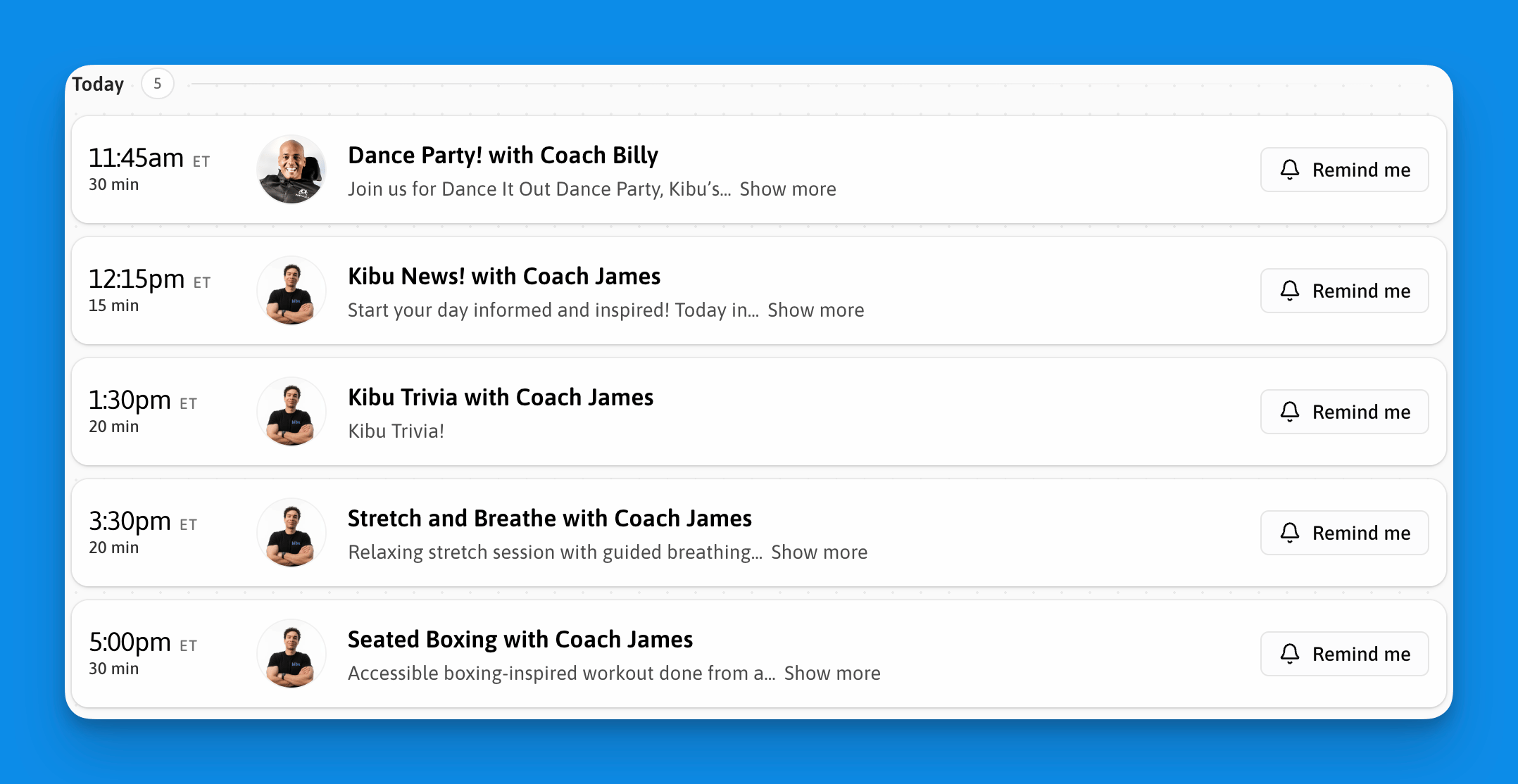
View the full schedule at [app.kibuhq.com/live-classes](https://app.kibu.com/live-classes). Each class card shows the name, coach, time, timezone, and status (upcoming, live, or ended).
## What to expect
Camera and microphone are optional throughout the session. During the class you can watch and follow along, send messages in the live chat, and see other participants. Coaches can share their screen and still see all participants while sharing. A notification is sent when a participant joins.
## Live chat
Chat is available throughout every session. History persists between sessions. To copy a message, hover over it and select copy. Coaches can delete individual messages.
## Calendar integration
## Create your own live classes
Organizations can schedule their own live sessions alongside Kibu's daily programming. See [Creating Live Classes](/content/create-your-own-live-class) to get started.
**Live classes are not recorded.** Replays are not available. Join at the scheduled time to participate.
## Schedule and RSVP
View the full schedule at [app.kibuhq.com/live-classes](https://app.kibu.com/live-classes). Each class card shows the name, coach, time, timezone, and status (upcoming, live, or ended).
## What to expect
Camera and microphone are optional throughout the session. During the class you can watch and follow along, send messages in the live chat, and see other participants. Coaches can share their screen and still see all participants while sharing. A notification is sent when a participant joins.
## Live chat
Chat is available throughout every session. History persists between sessions. To copy a message, hover over it and select copy. Coaches can delete individual messages.
## Calendar integration
## Create your own live classes
Organizations can schedule their own live sessions alongside Kibu's daily programming. See [Creating Live Classes](/content/create-your-own-live-class) to get started.
**Live classes are not recorded.** Replays are not available. Join at the scheduled time to participate.