> ## Documentation Index
> Fetch the complete documentation index at: https://help.kibu.com/llms.txt
> Use this file to discover all available pages before exploring further.
# Life Plan Goal Acknowledgement
 Life Plan Goal Acknowledgements give your organization a way to confirm that staff have read and understood each member's life plan and goals before completing service records. Administrators configure how acknowledgements work at the organization level.
To configure acknowledgements:
## Setting Up Acknowledgements
Administrators can choose from three acknowledgement behaviors to appear in staff notes when plans need to be acknowledged.
Life Plan Goal Acknowledgements give your organization a way to confirm that staff have read and understood each member's life plan and goals before completing service records. Administrators configure how acknowledgements work at the organization level.
To configure acknowledgements:
## Setting Up Acknowledgements
Administrators can choose from three acknowledgement behaviors to appear in staff notes when plans need to be acknowledged.
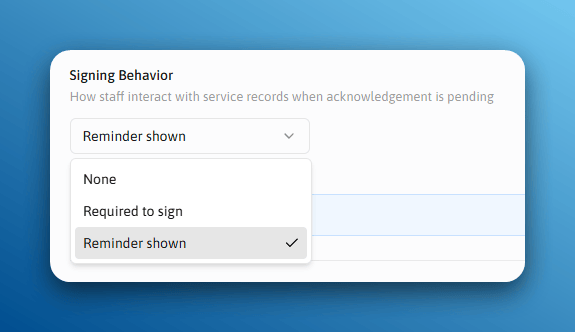 Staff will not be visually reminded about acknowledgments in the service record.
Staff must acknowledge the life plan before they can sign a service record.
Staff see a reminder, but it does not prevent them from signing service records.
## When Re-Acknowledgement Is Required
Administrators can require staff to re-acknowledge a goal in two situations:
Any change to the goal triggers re-acknowledgement.
Goals must be re-acknowledged on a regular schedule.
## The Staff Experience
Staff will not be visually reminded about acknowledgments in the service record.
Staff must acknowledge the life plan before they can sign a service record.
Staff see a reminder, but it does not prevent them from signing service records.
## When Re-Acknowledgement Is Required
Administrators can require staff to re-acknowledge a goal in two situations:
Any change to the goal triggers re-acknowledgement.
Goals must be re-acknowledged on a regular schedule.
## The Staff Experience
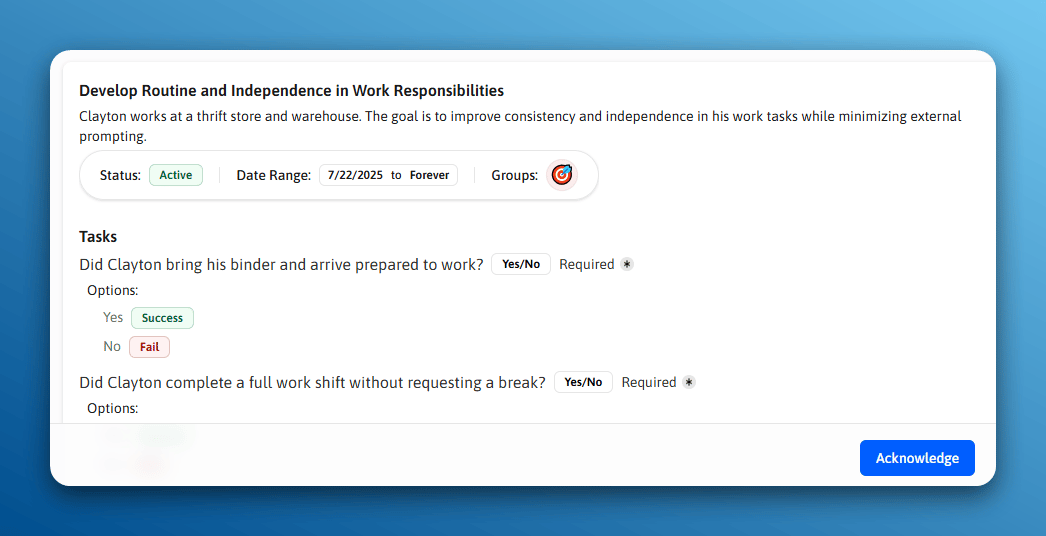
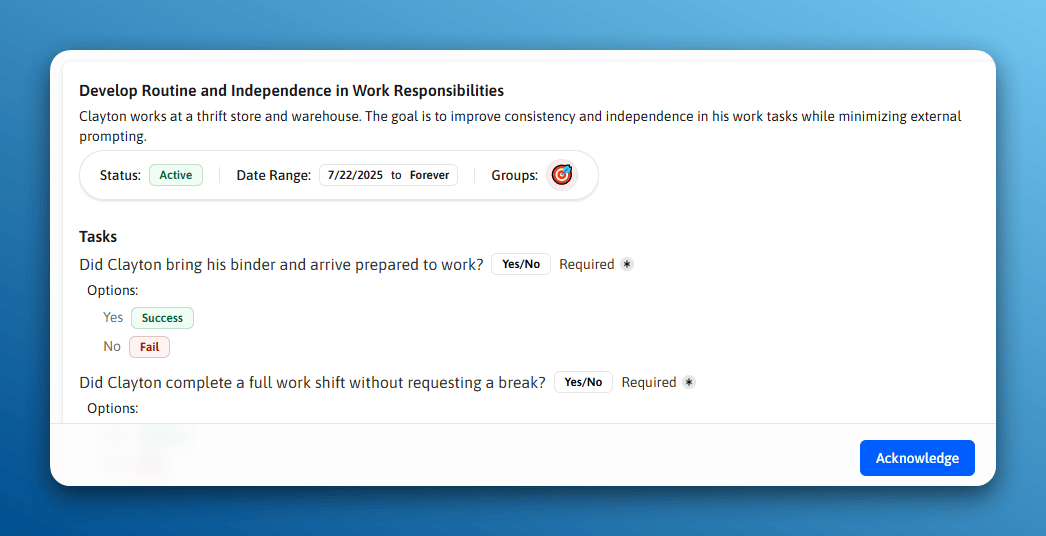
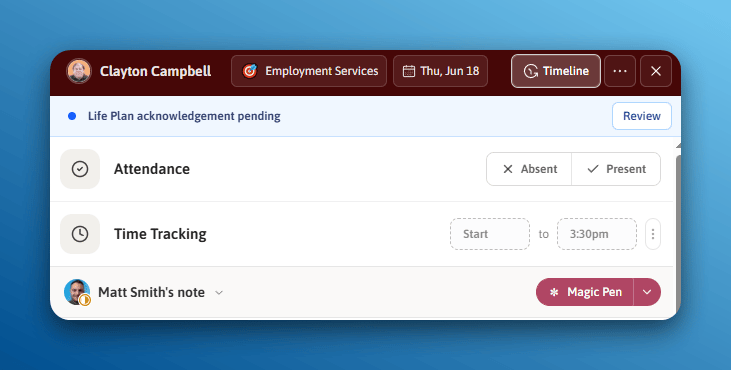 When acknowledgements are required, staff will see a prompt when opening a member's life plan goals in a service record. They must confirm they have reviewed the goal before proceeding.
If a goal has been updated since it was last acknowledged, it will be marked as needing re-acknowledgement and staff will see a notice to review the changes.
When acknowledgements are required, staff will see a prompt when opening a member's life plan goals in a service record. They must confirm they have reviewed the goal before proceeding.
If a goal has been updated since it was last acknowledged, it will be marked as needing re-acknowledgement and staff will see a notice to review the changes.
 ## Acknowledgements Overview
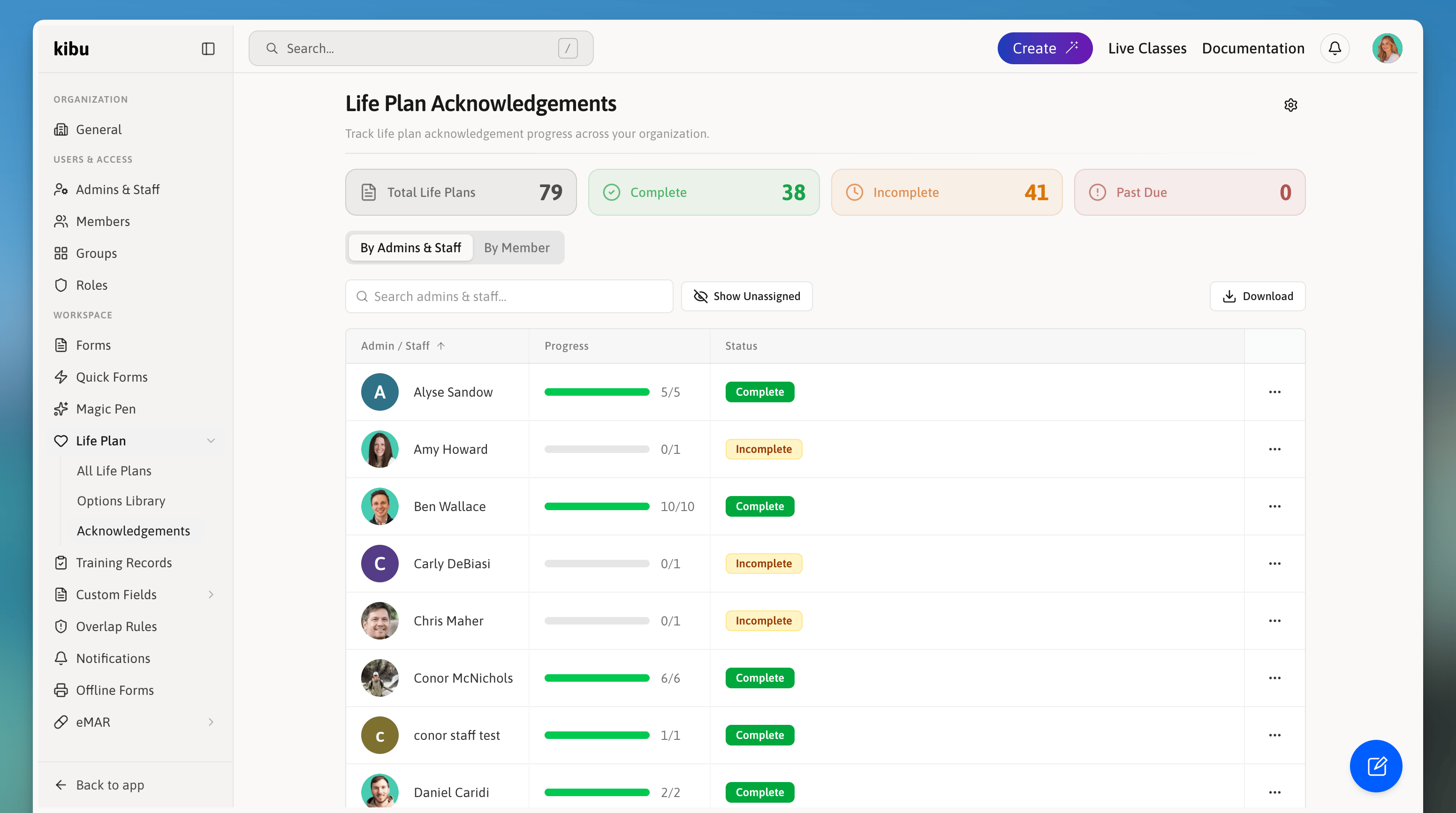
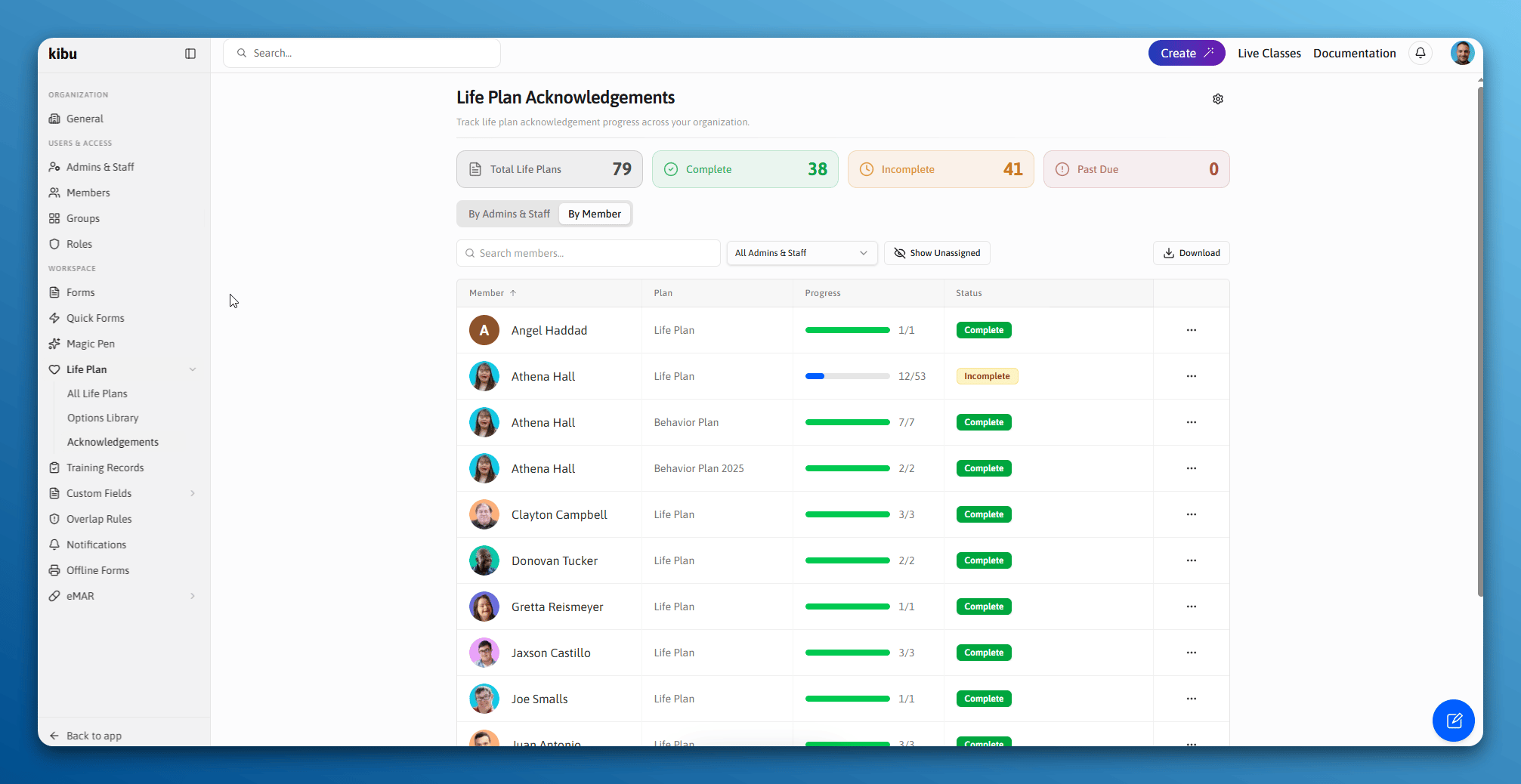
Administrators can view all acknowledgements across the entire organization from the Acknowledgements Overview page.
This shows:
* Which life plans have been acknowledged and by whom
* Which life plans are pending acknowledgement
* Acknowledgement history per member and per admins & staff
To access the overview:
## Acknowledgements Overview
Administrators can view all acknowledgements across the entire organization from the Acknowledgements Overview page.
This shows:
* Which life plans have been acknowledged and by whom
* Which life plans are pending acknowledgement
* Acknowledgement history per member and per admins & staff
To access the overview:
 ## Exporting a Report
In the Acknowledgements report, click the **Download** button to export an Excel spreadsheet. You can choose between a member-level or staff-level report showing what has been acknowledged and what is outstanding.
## Marking a Goal as Outdated
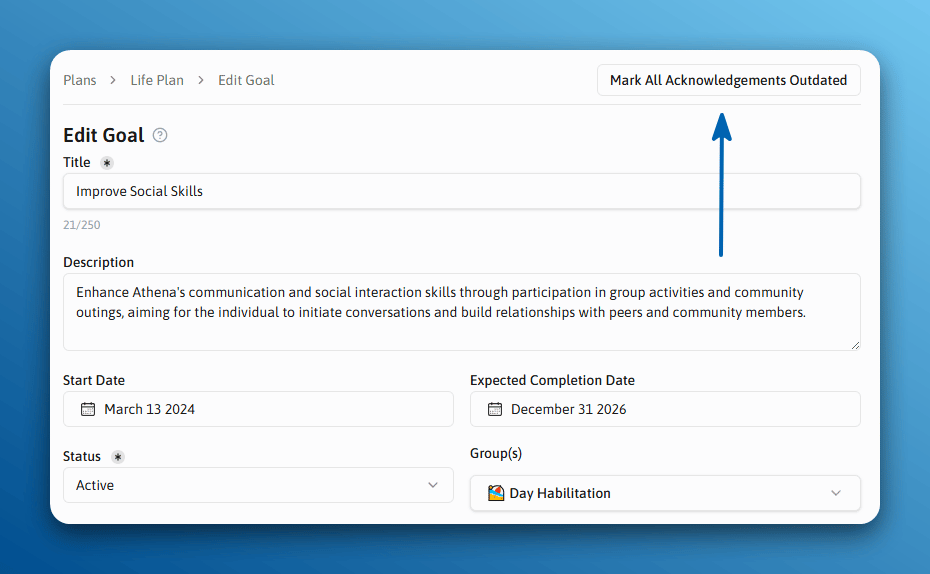
Administrators can manually mark a goal as outdated from the goal's edit page. This immediately triggers re-acknowledgement requirements for staff assigned to that member.
## Exporting a Report
In the Acknowledgements report, click the **Download** button to export an Excel spreadsheet. You can choose between a member-level or staff-level report showing what has been acknowledged and what is outstanding.
## Marking a Goal as Outdated
Administrators can manually mark a goal as outdated from the goal's edit page. This immediately triggers re-acknowledgement requirements for staff assigned to that member.