> ## Documentation Index
> Fetch the complete documentation index at: https://help.kibu.com/llms.txt
> Use this file to discover all available pages before exploring further.
# Documentation Overview
> Overview of Kibu documentation and resources
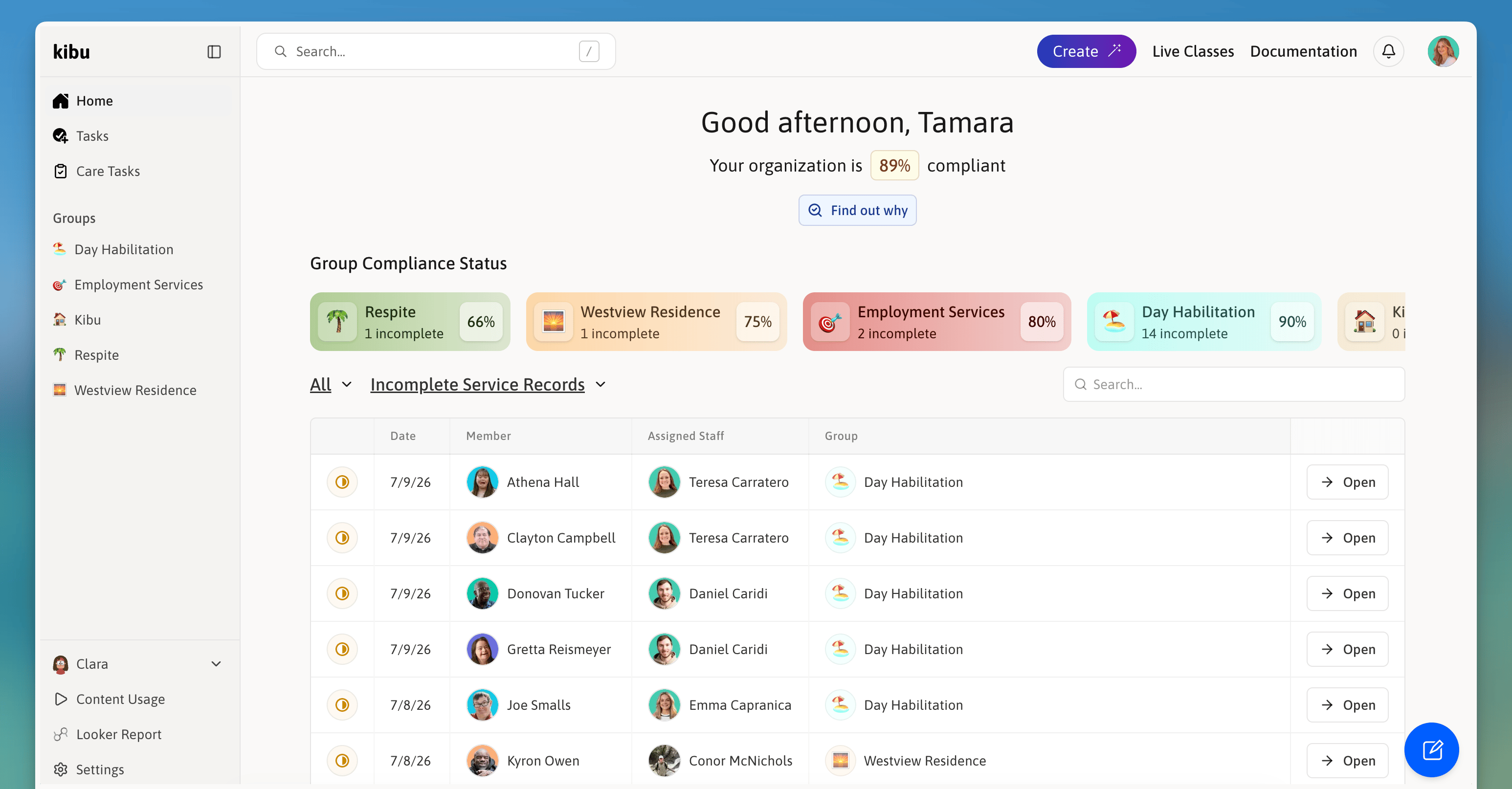 Documentation in Kibu is a comprehensive system that enables organizations to track, manage, and maintain records of member care, health, activities, and progress. Our platform integrates daily service documentation with health tracking, goal management, and collaborative tools to ensure complete and compliant care delivery.
## Core Documentation Features
Complete daily documentation system with digital service tracking and time logging, member attendance and activity tracking, Quick Notes for easy real-time documentation, and a comprehensive audit trail.
Integrated health tracking suite including medical observations tracking, Electronic Medication Administration Records (eMAR), pharmacy management, and health event monitoring.
Comprehensive goal tracking system with a custom goal builder, point-based progress tracking, standardized response options, and goal copying and sharing.
Organizational structure tools including customizable group settings, role-based access control, service-specific documentation requirements, and multi-group member assignment.
Intelligent documentation support via Clara AI for report generation, Magic Pen for service record completion, speech-to-text documentation, auto-translation capabilities, and grammar and spelling assistance.
Data-driven insights including member engagement tracking, goal progress analytics, service delivery metrics, compliance monitoring, and custom report generation.
## Key Benefits
Real-time collaborative documentation across your entire team.
Streamlined compliance management and complete audit readiness.
Less time on paperwork means more time focused on member care.
Enhanced care coordination across staff, groups, and members.
Analytics and reporting tools that turn documentation into insight.
Complete records always ready for review or reporting requirements.
## Role-Based Access
Documentation access is managed through a comprehensive role system. [Learn more about Roles & Permissions →](/documentation/staff-permissions)
Basic documentation and member care.
Enhanced management capabilities.
Full organizational control.
System-wide access.
Documentation in Kibu is a comprehensive system that enables organizations to track, manage, and maintain records of member care, health, activities, and progress. Our platform integrates daily service documentation with health tracking, goal management, and collaborative tools to ensure complete and compliant care delivery.
## Core Documentation Features
Complete daily documentation system with digital service tracking and time logging, member attendance and activity tracking, Quick Notes for easy real-time documentation, and a comprehensive audit trail.
Integrated health tracking suite including medical observations tracking, Electronic Medication Administration Records (eMAR), pharmacy management, and health event monitoring.
Comprehensive goal tracking system with a custom goal builder, point-based progress tracking, standardized response options, and goal copying and sharing.
Organizational structure tools including customizable group settings, role-based access control, service-specific documentation requirements, and multi-group member assignment.
Intelligent documentation support via Clara AI for report generation, Magic Pen for service record completion, speech-to-text documentation, auto-translation capabilities, and grammar and spelling assistance.
Data-driven insights including member engagement tracking, goal progress analytics, service delivery metrics, compliance monitoring, and custom report generation.
## Key Benefits
Real-time collaborative documentation across your entire team.
Streamlined compliance management and complete audit readiness.
Less time on paperwork means more time focused on member care.
Enhanced care coordination across staff, groups, and members.
Analytics and reporting tools that turn documentation into insight.
Complete records always ready for review or reporting requirements.
## Role-Based Access
Documentation access is managed through a comprehensive role system. [Learn more about Roles & Permissions →](/documentation/staff-permissions)
Basic documentation and member care.
Enhanced management capabilities.
Full organizational control.
System-wide access.