> ## Documentation Index
> Fetch the complete documentation index at: https://help.kibu.com/llms.txt
> Use this file to discover all available pages before exploring further.
# Kibu Mobile App Overview
> Get started with the Kibu mobile app - your companion for efficient daily documentation.
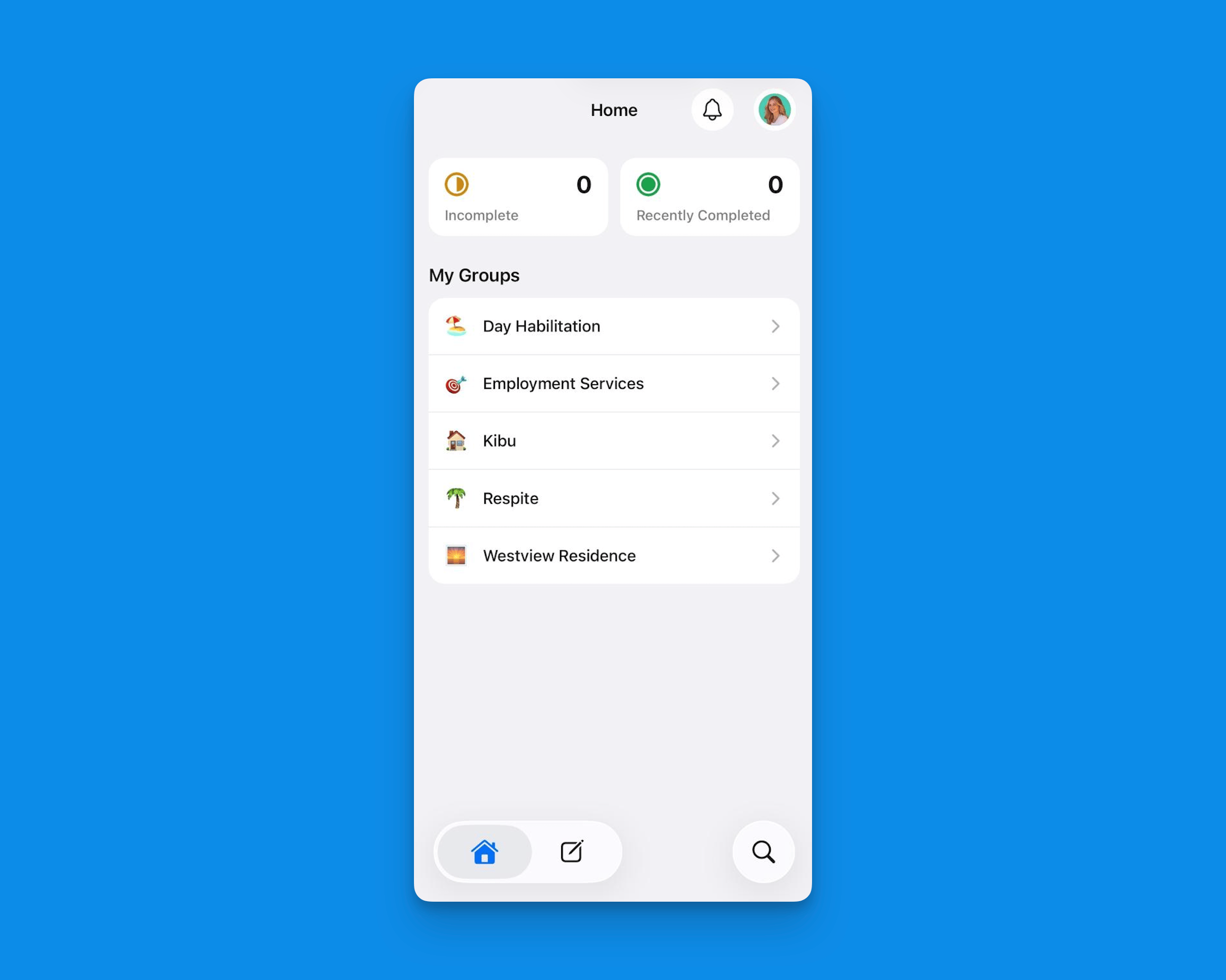 The Kibu mobile app is designed to make your daily documentation tasks quicker and more efficient than ever before. As a Direct Support Professional (DSP), we understand that your time is valuable, and our mobile app is built to help you stay productive while providing excellent care.
## Key Features
Capture important observations and notes instantly, just like you would on the web platform. No need to wait until you're back at a computer - document important moments as they happen.
Quick Notes on mobile also supports:
* Image upload directly from your device
* Voice dictation via your keyboard's speech-to-text
* Member tagging using @ mentions
Learn more about mobile quick notes here: [Mobile Quick Notes](/mobile/quick-notes).
Document in whatever language works best for you. The Kibu mobile app supports:
* Native keyboard speech-to-text in any language
* A built-in translation tool to convert notes to English after speaking in your native language
* Seamless translation for team collaboration across languages
This makes it easy for DSPs to document quickly and accurately, without language being a barrier.
The mobile app supports full time tracking for service delivery:
* Clock in and out for members automatically when attendance is marked
* Start, stop, pause, and resume time tracking within a service record
* Time data is used for billing accuracy and compliance reporting
Time tracking must be enabled at the group level by an admin. Once enabled, it begins automatically when a member is marked as present.
Easily manage and track medications for the members you support:
* View medication schedules
* Record administration times
* Document any relevant notes or observations
Learn more about mobile medication tracking features here: [Mobile Medication Tracking](/mobile/medication).
Handle your service records directly from your phone:
* Create new service records
* View incomplete service records
* Manage member attendance
* Sign and approve documents
* Submit documentation on the spot
Learn more about service records on mobile here: [Mobile Service Records](/mobile/service-records).
Track progress toward ISP and life plan goals directly within service records on mobile. Staff can log goal activity and outcomes in real time without needing to switch to a desktop.
Magic Pen is Kibu's AI assistant, available directly within service records on mobile. It helps DSPs complete documentation faster and more accurately by:
* Automatically pulling relevant information from Quick Notes entered throughout the day
* Suggesting appropriate responses for service record fields
* Helping maintain consistency in documentation across your team
Learn more about Magic Pen in our Magic Pen guide.
## What's Available on Mobile
The mobile app covers the core DSP workflow. The table below outlines current feature availability:
| Feature | Mobile |
| ------------------------------------ | :----: |
| Attendance | ✅ |
| Time Tracking | ✅ |
| Daily Notes / Service Records | ✅ |
| Life Plan Goal Tracking | ✅ |
| Quick Notes (voice, images, tagging) | ✅ |
| Medication Tracking (eMAR) | ✅ |
| EVV / GPS Tracking | ✅ |
| Member Profile (read-only) | ✅ |
| Quick Forms | ✅ |
| File Storage | ❌ |
| Incident Reports | ❌ |
| Clara AI / Reporting | ❌ |
| Billing | ❌ |
| | |
Member profiles are currently read-only on mobile. To edit member information, use the web platform at app.kibu.com.
## Why Use the Mobile App?
We know that efficiency is crucial for DSPs, and our mobile app is specifically designed to:
* Save you time on documentation
* Reduce end-of-shift paperwork
* Enable real-time attendance tracking
* Ensure accurate and timely record-keeping
* Provide easy access to important information
* Support you in delivering quality care
The Kibu mobile app puts the power of our platform right in your pocket, helping you focus more on what matters most - supporting your members.
## Important Notes
The Kibu mobile browser experience is not supported and may result in broken dropdowns and unexpected behavior. Always use the native app downloaded from the App Store or Google Play for the best experience.
Kibu enforces a required update policy, staff must update the app before they can proceed. When an update is available, you will be prompted to install it. Make sure your device is set to allow app updates so your workflow is not interrupted.
## Getting Started
Download the Kibu mobile app from your device's app store:
Download for iPhone and iPad.
Download for Android devices.
Sign in with your existing Kibu credentials and start experiencing more efficient documentation today.
The Kibu mobile app is designed to make your daily documentation tasks quicker and more efficient than ever before. As a Direct Support Professional (DSP), we understand that your time is valuable, and our mobile app is built to help you stay productive while providing excellent care.
## Key Features
Capture important observations and notes instantly, just like you would on the web platform. No need to wait until you're back at a computer - document important moments as they happen.
Quick Notes on mobile also supports:
* Image upload directly from your device
* Voice dictation via your keyboard's speech-to-text
* Member tagging using @ mentions
Learn more about mobile quick notes here: [Mobile Quick Notes](/mobile/quick-notes).
Document in whatever language works best for you. The Kibu mobile app supports:
* Native keyboard speech-to-text in any language
* A built-in translation tool to convert notes to English after speaking in your native language
* Seamless translation for team collaboration across languages
This makes it easy for DSPs to document quickly and accurately, without language being a barrier.
The mobile app supports full time tracking for service delivery:
* Clock in and out for members automatically when attendance is marked
* Start, stop, pause, and resume time tracking within a service record
* Time data is used for billing accuracy and compliance reporting
Time tracking must be enabled at the group level by an admin. Once enabled, it begins automatically when a member is marked as present.
Easily manage and track medications for the members you support:
* View medication schedules
* Record administration times
* Document any relevant notes or observations
Learn more about mobile medication tracking features here: [Mobile Medication Tracking](/mobile/medication).
Handle your service records directly from your phone:
* Create new service records
* View incomplete service records
* Manage member attendance
* Sign and approve documents
* Submit documentation on the spot
Learn more about service records on mobile here: [Mobile Service Records](/mobile/service-records).
Track progress toward ISP and life plan goals directly within service records on mobile. Staff can log goal activity and outcomes in real time without needing to switch to a desktop.
Magic Pen is Kibu's AI assistant, available directly within service records on mobile. It helps DSPs complete documentation faster and more accurately by:
* Automatically pulling relevant information from Quick Notes entered throughout the day
* Suggesting appropriate responses for service record fields
* Helping maintain consistency in documentation across your team
Learn more about Magic Pen in our Magic Pen guide.
## What's Available on Mobile
The mobile app covers the core DSP workflow. The table below outlines current feature availability:
| Feature | Mobile |
| ------------------------------------ | :----: |
| Attendance | ✅ |
| Time Tracking | ✅ |
| Daily Notes / Service Records | ✅ |
| Life Plan Goal Tracking | ✅ |
| Quick Notes (voice, images, tagging) | ✅ |
| Medication Tracking (eMAR) | ✅ |
| EVV / GPS Tracking | ✅ |
| Member Profile (read-only) | ✅ |
| Quick Forms | ✅ |
| File Storage | ❌ |
| Incident Reports | ❌ |
| Clara AI / Reporting | ❌ |
| Billing | ❌ |
| | |
Member profiles are currently read-only on mobile. To edit member information, use the web platform at app.kibu.com.
## Why Use the Mobile App?
We know that efficiency is crucial for DSPs, and our mobile app is specifically designed to:
* Save you time on documentation
* Reduce end-of-shift paperwork
* Enable real-time attendance tracking
* Ensure accurate and timely record-keeping
* Provide easy access to important information
* Support you in delivering quality care
The Kibu mobile app puts the power of our platform right in your pocket, helping you focus more on what matters most - supporting your members.
## Important Notes
The Kibu mobile browser experience is not supported and may result in broken dropdowns and unexpected behavior. Always use the native app downloaded from the App Store or Google Play for the best experience.
Kibu enforces a required update policy, staff must update the app before they can proceed. When an update is available, you will be prompted to install it. Make sure your device is set to allow app updates so your workflow is not interrupted.
## Getting Started
Download the Kibu mobile app from your device's app store:
Download for iPhone and iPad.
Download for Android devices.
Sign in with your existing Kibu credentials and start experiencing more efficient documentation today.