> ## Documentation Index
> Fetch the complete documentation index at: https://help.kibu.com/llms.txt
> Use this file to discover all available pages before exploring further.
# Medication Tracking
> Track and document medication administration from your mobile device.
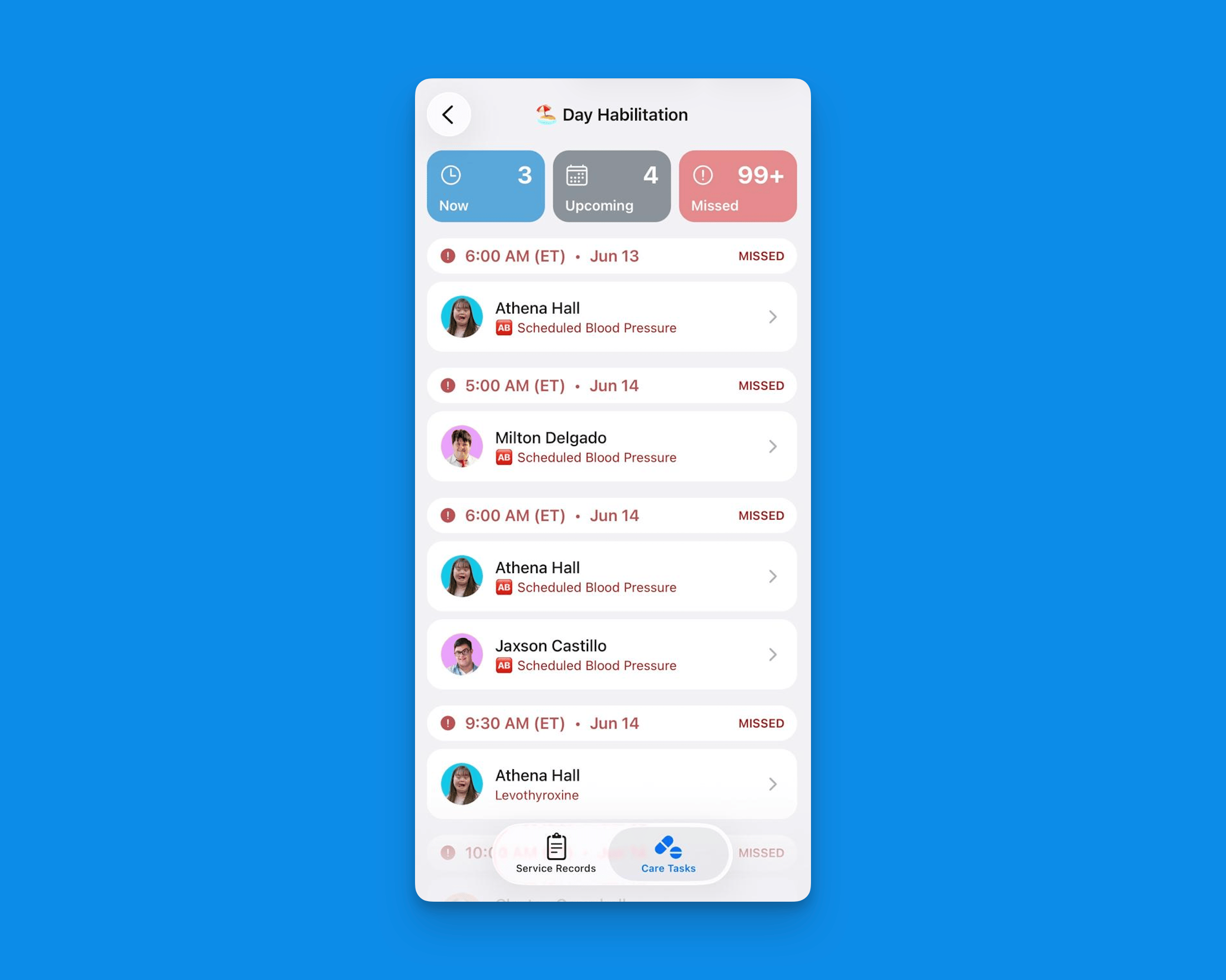 The Kibu mobile app provides a comprehensive medication tracking system under Care Tasks that allows you to view and document both scheduled medications and PRN (as needed) medications for your assigned members.
***
## **Accessing Medications**
Navigate to the group and select **Care Tasks** to access medications.
From there, you can:
* Review medications by status: **Now**, **Upcoming**, and **Missed**
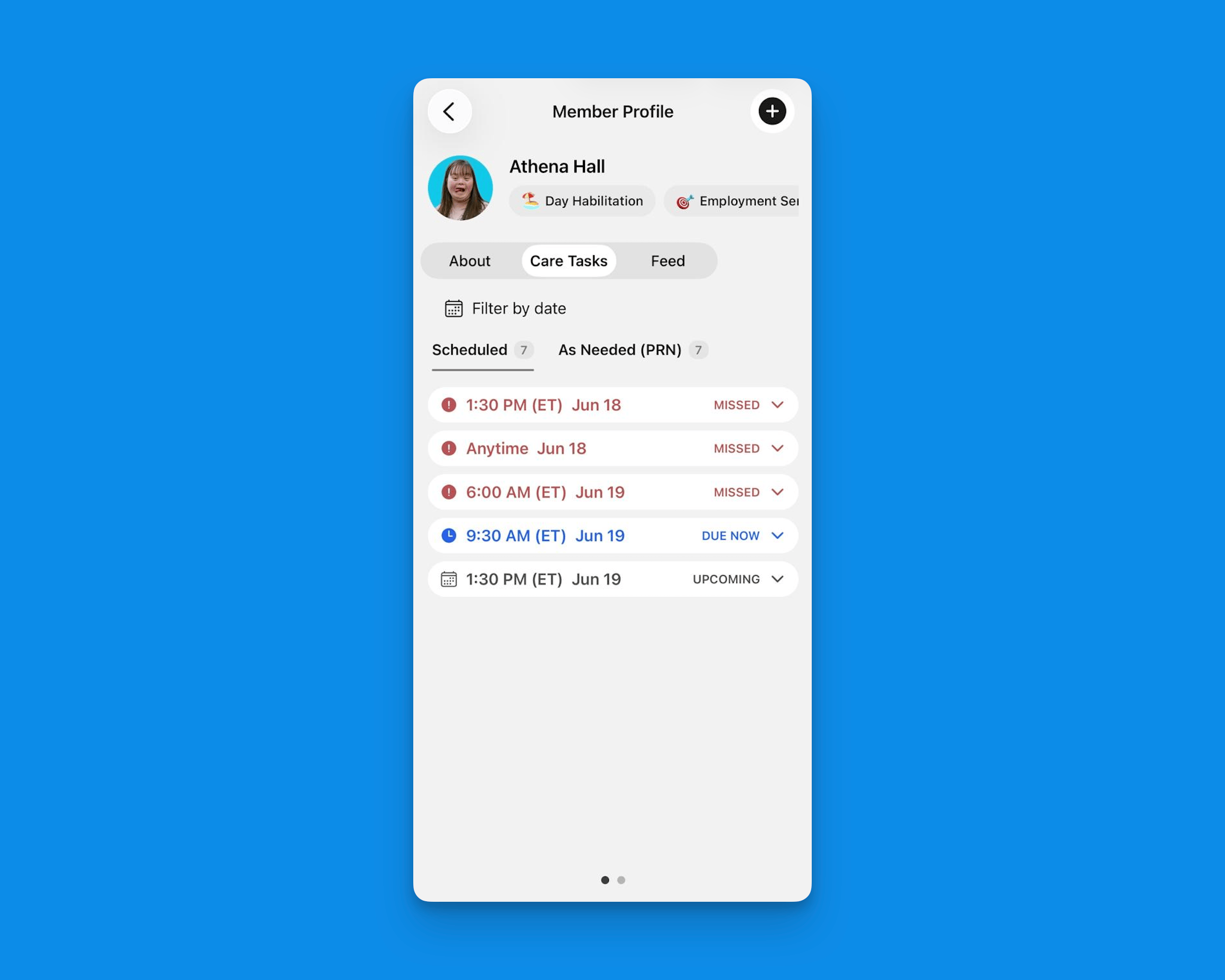
* View each member's **scheduled** and **PRN** (as needed) medications
***
## Medication Types
The scheduled medications view shows:
* Medication name and dosage
* Administration time
* Member name
* Status (due, completed, missed)
PRN medications are listed separately if administered and include:
* Medication name and information
* Administration time
* Who administered the PRN
* The ability to add notes or follow ups
***
## Recording Medical Tracking
The Kibu mobile app provides a comprehensive medication tracking system under Care Tasks that allows you to view and document both scheduled medications and PRN (as needed) medications for your assigned members.
***
## **Accessing Medications**
Navigate to the group and select **Care Tasks** to access medications.
From there, you can:
* Review medications by status: **Now**, **Upcoming**, and **Missed**
* View each member's **scheduled** and **PRN** (as needed) medications
***
## Medication Types
The scheduled medications view shows:
* Medication name and dosage
* Administration time
* Member name
* Status (due, completed, missed)
PRN medications are listed separately if administered and include:
* Medication name and information
* Administration time
* Who administered the PRN
* The ability to add notes or follow ups
***
## Recording Medical Tracking
 ***
## Best Practices
The mobile medication tracking system ensures accurate and timely documentation while helping maintain medication safety standards for your members.
Remember to follow your organization's medication administration policies and procedures at all times.
***
## Best Practices
The mobile medication tracking system ensures accurate and timely documentation while helping maintain medication safety standards for your members.
Remember to follow your organization's medication administration policies and procedures at all times.