

Who can use this feature?
Everyone in organizations with the Content Platform, on the web. Staff, Supervisors, and Members all get the new pages. Administrators also get a new Content Usage report.
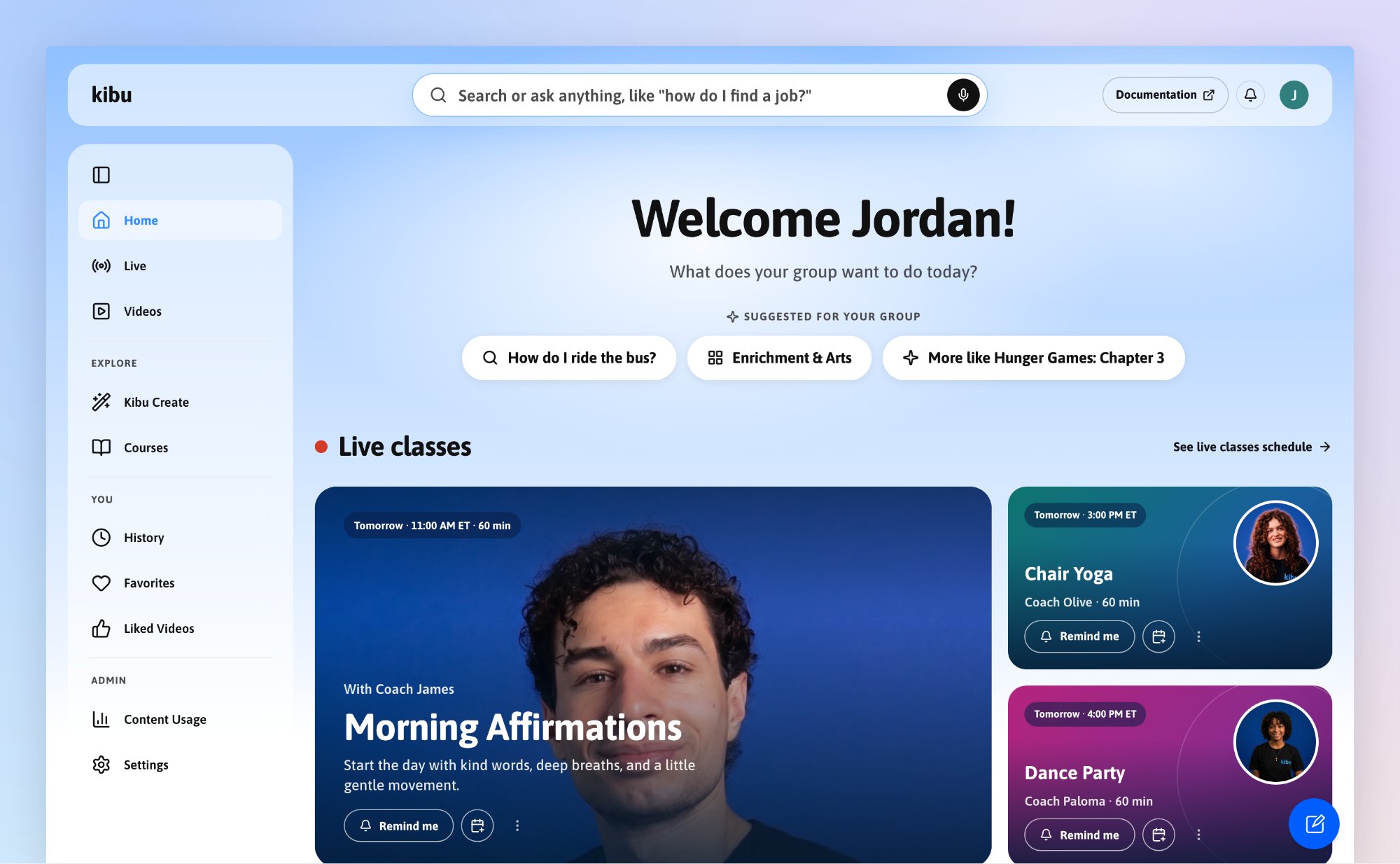
The new content home page.
What you need to know
Nothing to set up
The new pages turn on for everyone on December 8. Sign in to app.kibu.com the way you do today.
Same library
Every on-demand class, course, and live class coach moves over with you.
A new sidebar
Every part of Kibu content now has its own page, one click away.
A home page made for your group
The home page greets you by name and asks one question: what does your group want to do today? Under it, Suggested for your group offers a few one-click ideas, such as a video you stopped part-way through, more like a class your group watched a lot, or a category your group loves. Below that, today’s live classes sit up top, followed by Continue Watching, New Releases, and courses picked for you.Find your way with the sidebar
The new sidebar puts everything in one place:| Item | What you find there |
|---|---|
| Home | Suggestions and what is on today |
| Live | The full live class schedule |
| Videos | The whole on-demand library, with filters |
| Kibu Create | Games and activities for your group |
| Courses | Guided programs that build a skill one video at a time |
| History | What you have watched in the last 90 days |
| Favorites | Videos and courses you saved |
| Liked Videos | Videos you gave a thumbs up |
 Home
 Live
 Videos
 Kibu Create
 Courses
 History
 Favorites
 Liked Videos
 Content Usage and
 Settings.
Live classes, easier to plan
The Live page shows the next class up top and the rest of the schedule by day. A month calendar on the right jumps to any day with classes, and you can filter by coach or by time of day.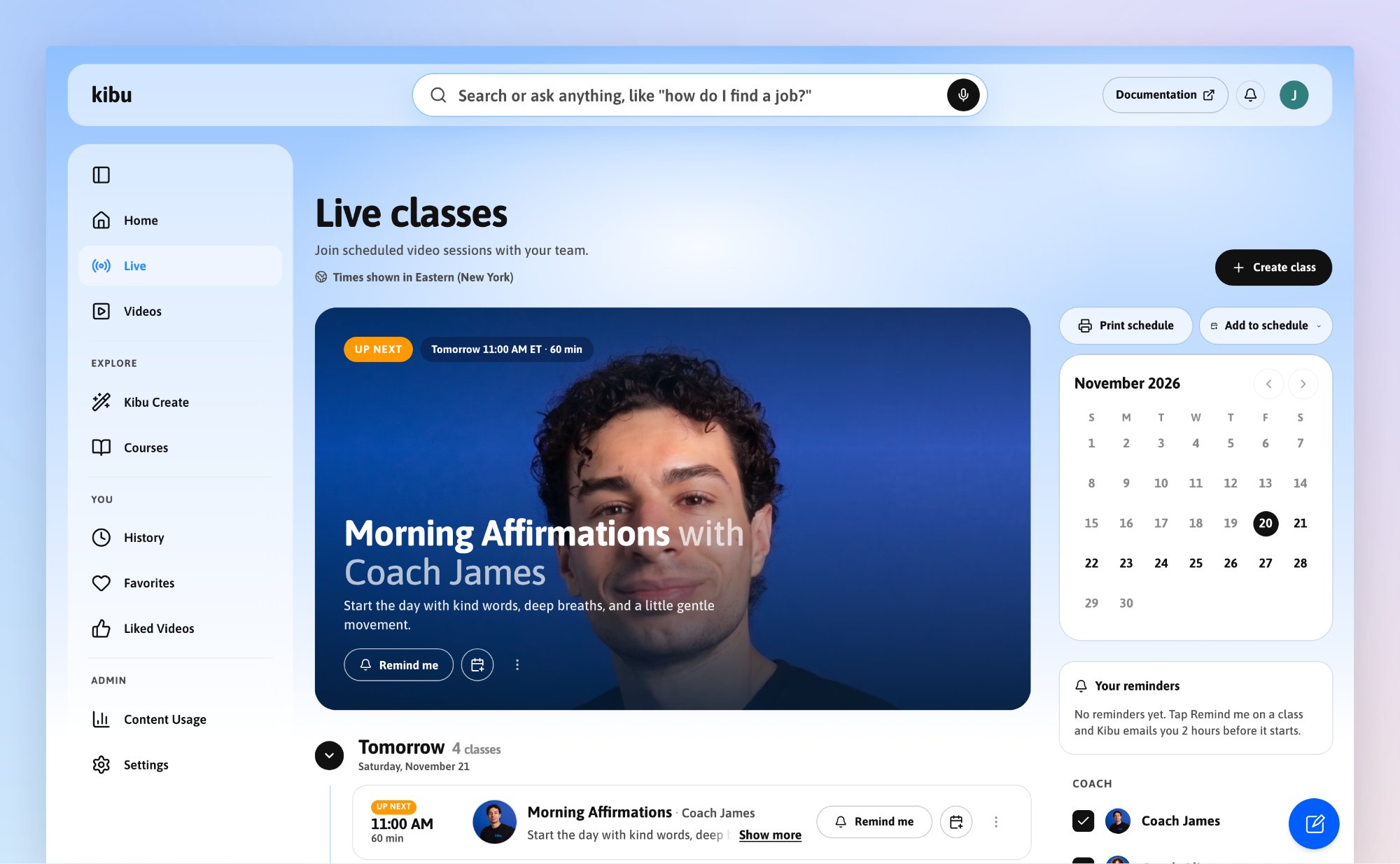
The new Live page, with the calendar, reminders, and filters on the right.
- Print the schedule. Click Print schedule for a clean, letter-size schedule to post on the wall or hand out. Pick this week, this month, or your own dates, and choose large print if your group needs it.
- Add it to your calendar. Click Add to schedule to add Kibu’s live classes to Google Calendar, or download them for Outlook or Apple Calendar. Each class also has its own button to add just that one.
- Get a reminder. Click Remind me on a class, and Kibu emails you 2 hours before it starts. Your saved classes show under Your reminders.
 Print schedule for a clean, letter-size schedule to post on the wall or hand out. Pick this week, this month, or your own dates, and choose large print if your group needs it.
 button to add just that one.
 Remind me on a class, and Kibu emails you 2 hours before it starts. Your saved classes show under Your reminders.
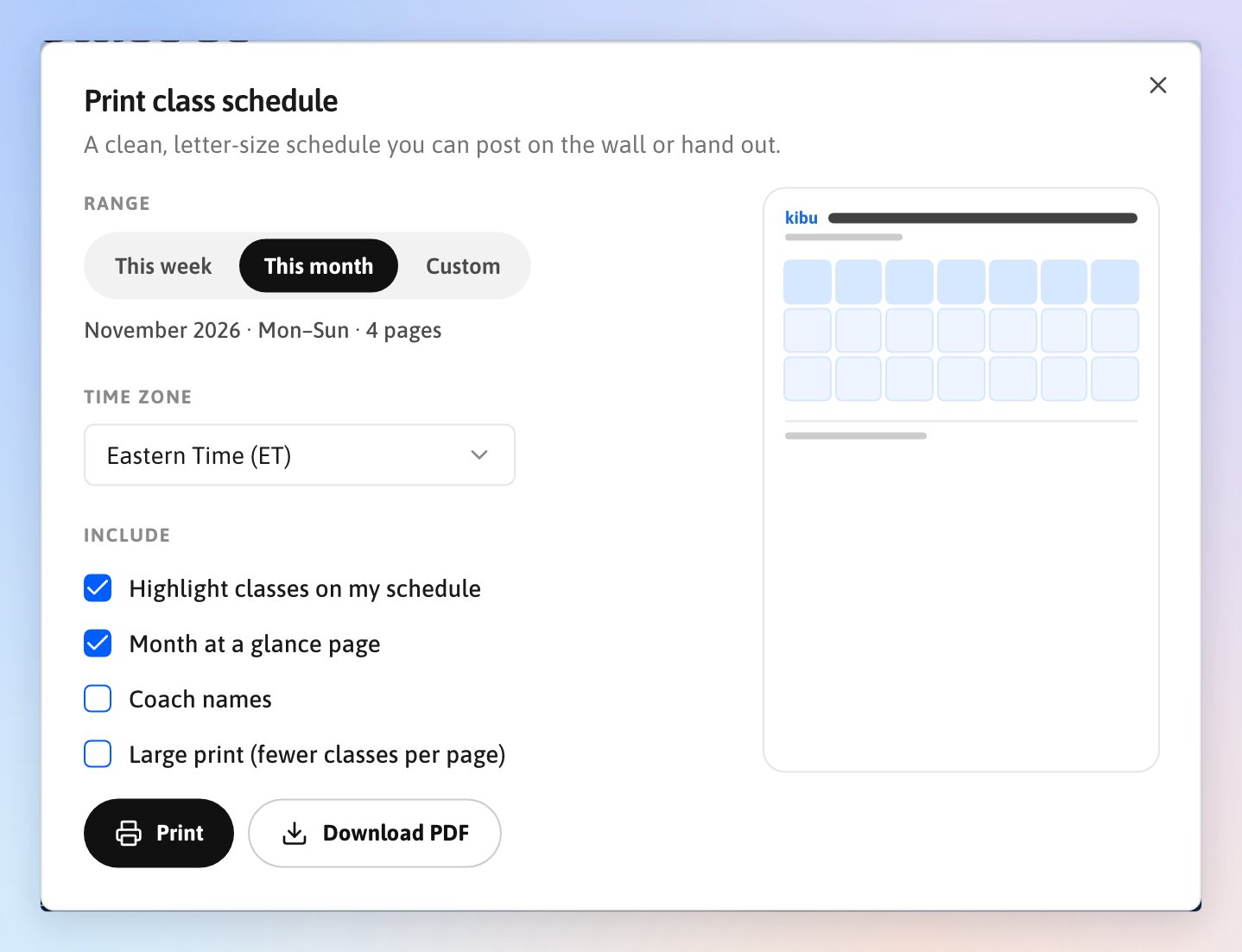
Print a schedule for the week, the month, or the dates you pick.
Search that understands questions
Type a topic or ask a question in the search bar at the top, like “what can we do seated?” You can also click and say it out loud. Press Enter to see every match on one page, sorted by best match, with videos and courses in their own sections. and say it out loud. Press Enter to see every match on one page, sorted by best match, with videos and courses in their own sections.
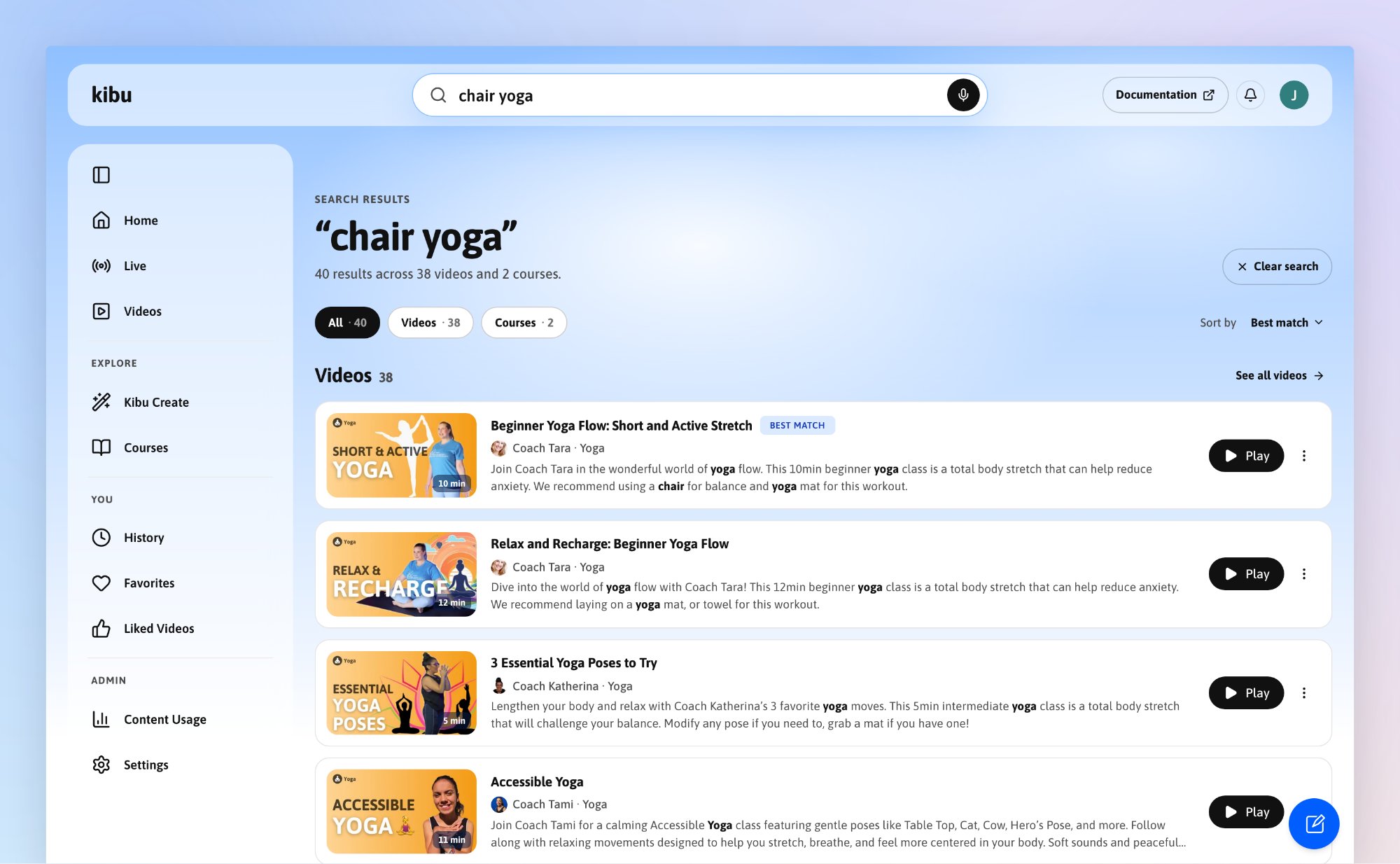
Search results for chair yoga.
Videos and courses, with their own pages
Videos is the whole library in one place. Filter by category, coach, and length, or show only videos with a lesson plan, closed captions, seated workouts, or Spanish content. Sort by newest, title, length, or Most watched to see what your organization plays most. Courses has its own page too, with a staff pick up top and your started courses in Pick up where you left off.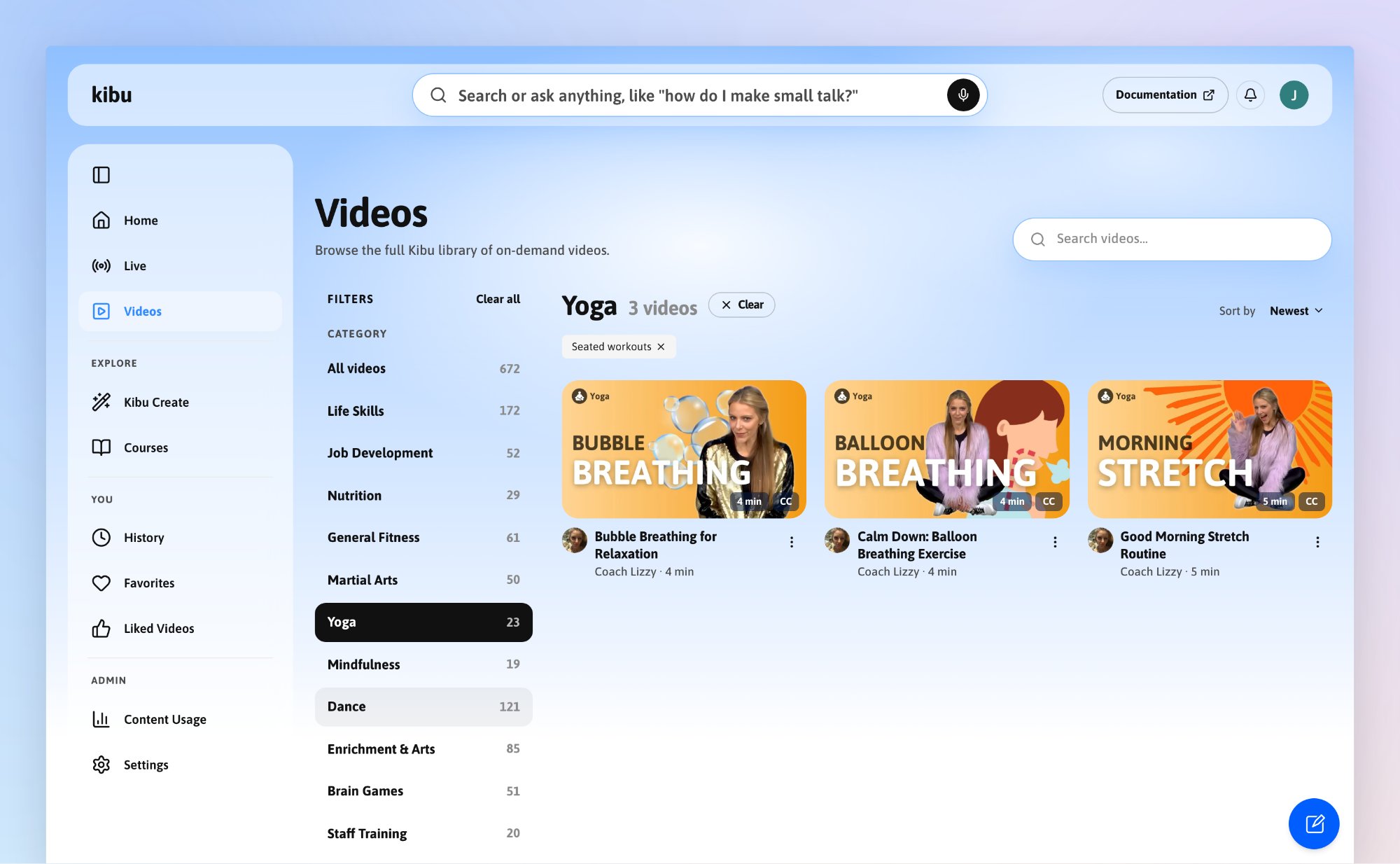
Yoga videos with a seated workout, two clicks away.
Pick up where you left off
- History lists what you watched, newest first, with a Resume button on anything you did not finish. Live classes you joined show here too.
- Favorites now saves courses as well as videos. Click the heart on either one.
- Liked Videos collects every video you gave a thumbs up.
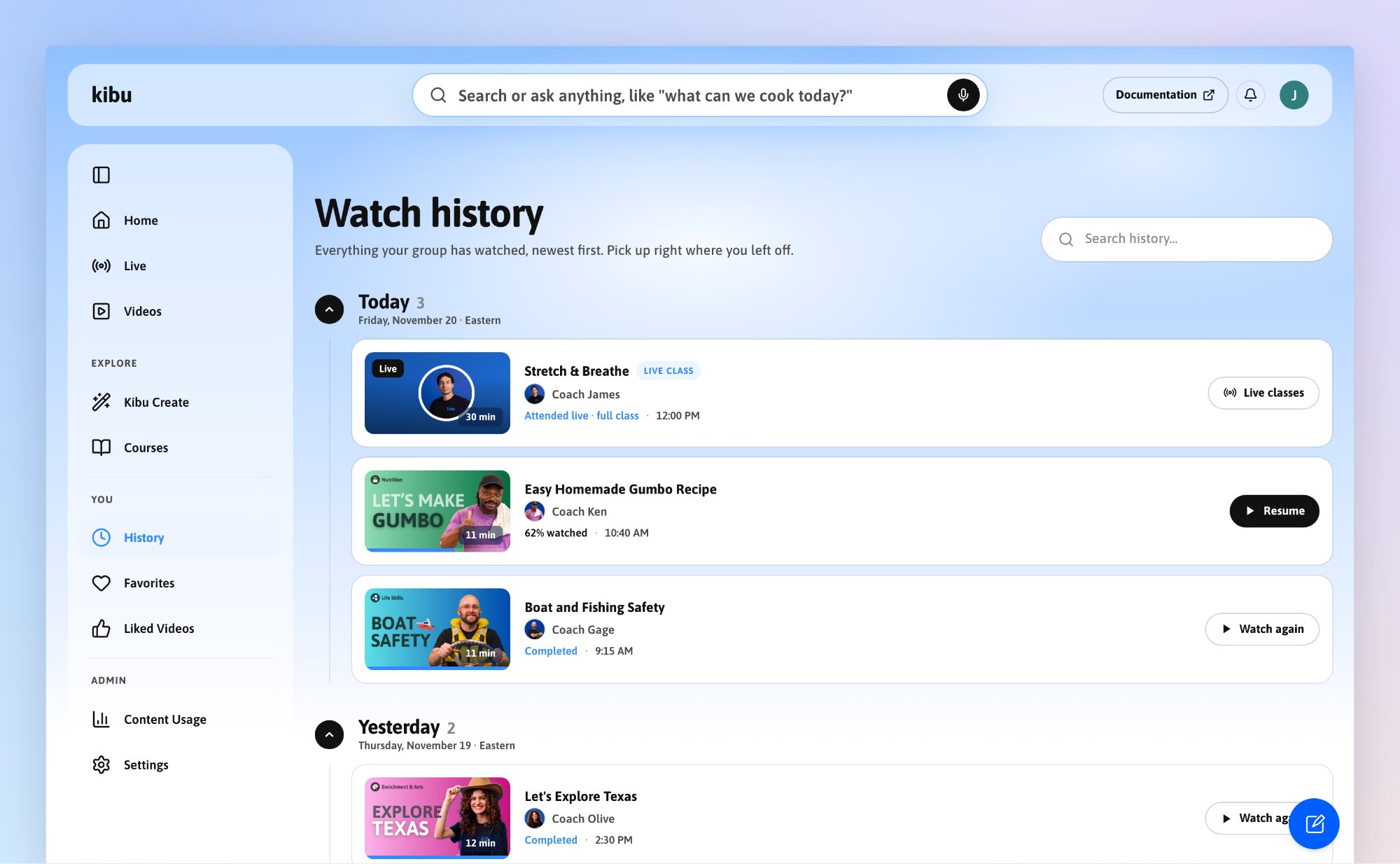
Watch history, with a live class and a video to resume.
Kibu Create, refreshed
Kibu Create has a new look and new filters. Find an activity by group size, session length, or category, including a new Printable category for coloring pages, word searches, and more to print and hand out. When an activity is open, more ideas wait on the side, and a Full screen button puts it on the big screen.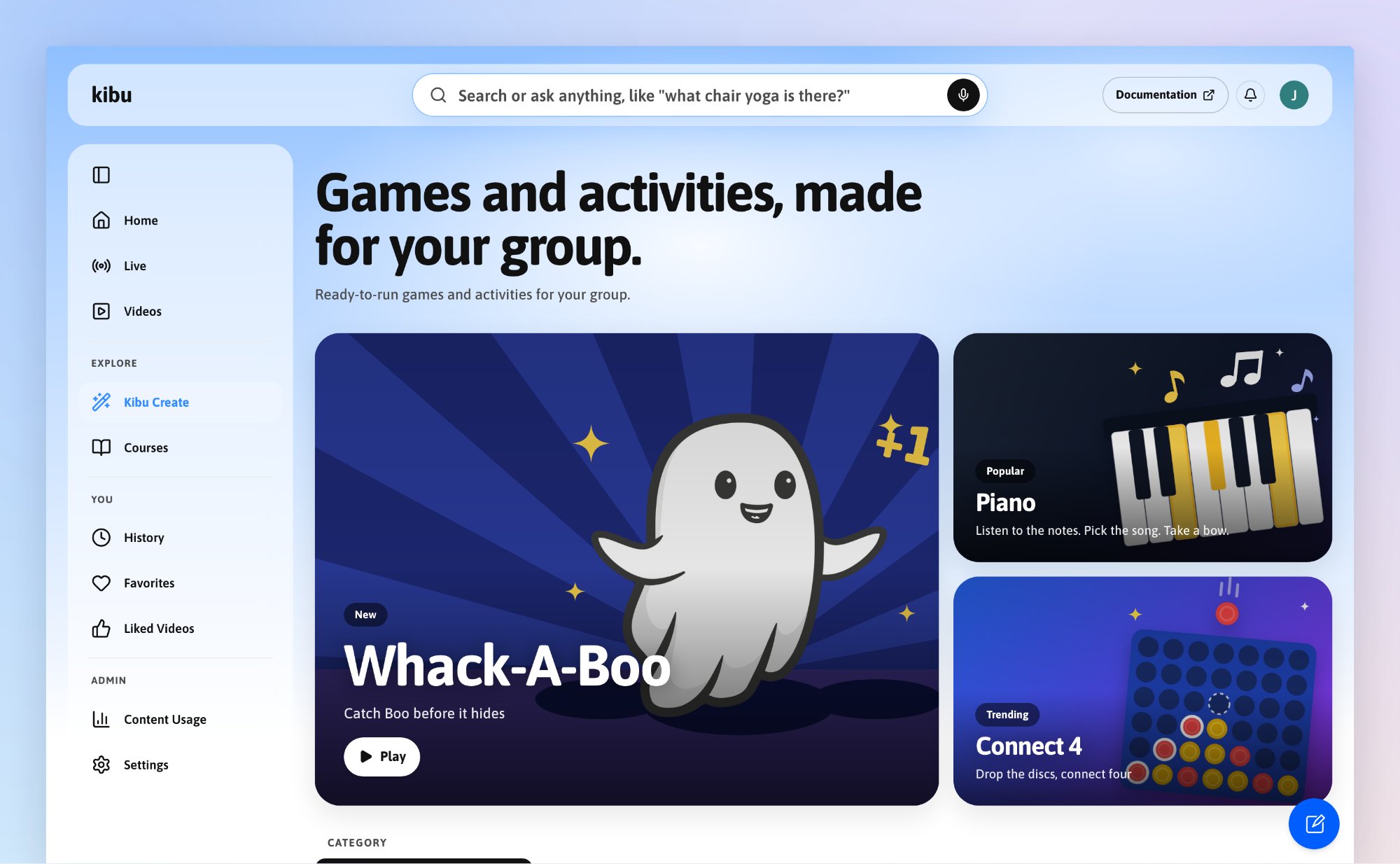
Kibu Create, with Whack-A-Boo up front.
For Administrators: a new Content Usage report
The new Content Usage page shows what your organization watches and creates, and how it trends over time. See your top classes and most active viewers, pick any date range, and click Download Report to get everything in one Excel file.What’s next
- December 8: The new Kibu content goes live for everyone.
- December 8 at 11:45 AM ET: Join the launch party live class. We will walk through the new pages live and celebrate together. Find it on the Live page.