

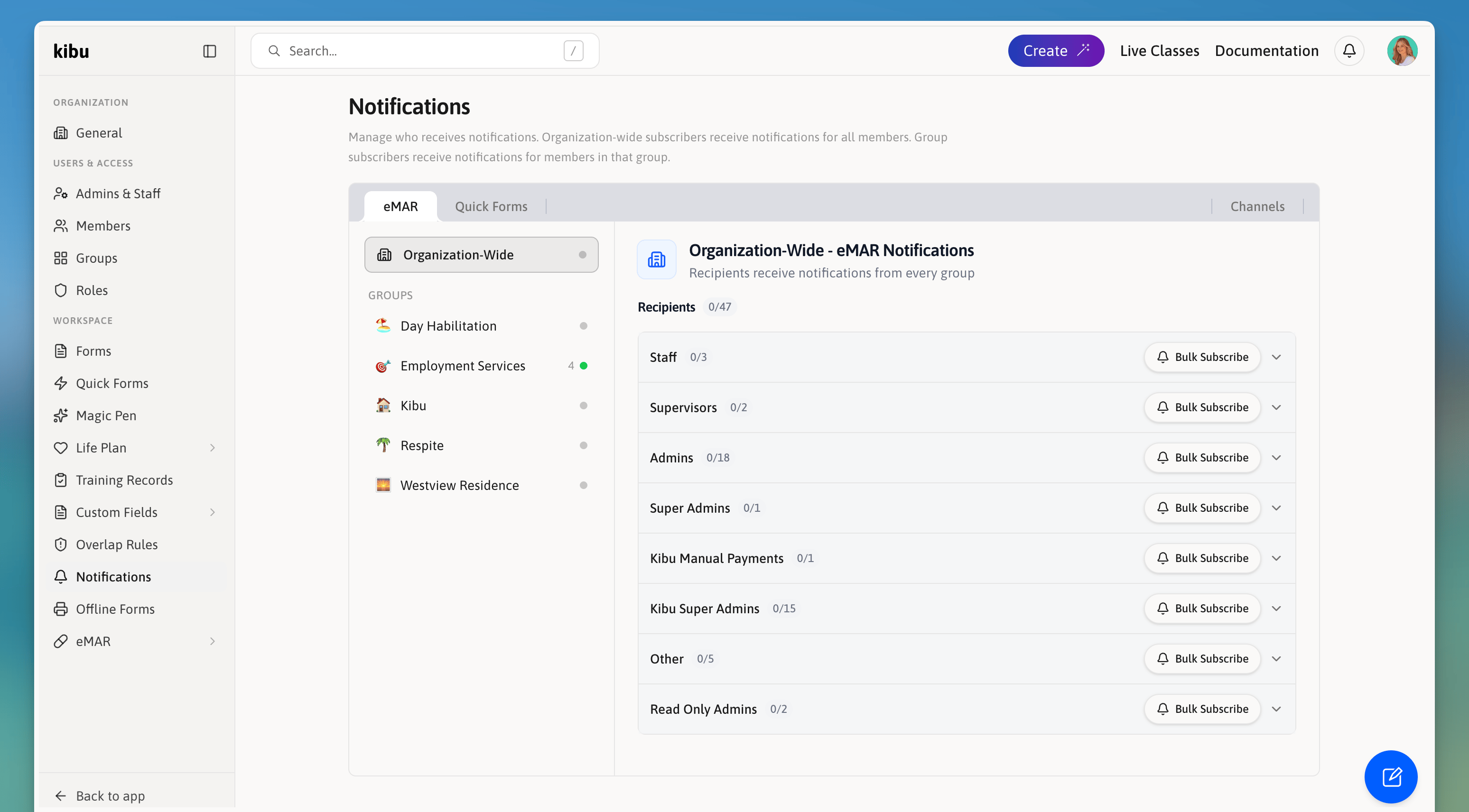
The Notification Center panel opens from the bell icon in the navigation bar, showing recent alerts for the events you're subscribed to.
Finding the Notification Center
Look for the bell icon in the navigation bar. Click it to open the Notification Center and view your recent notifications. The Notification Center is available on both the web platform and the Kibu mobile app.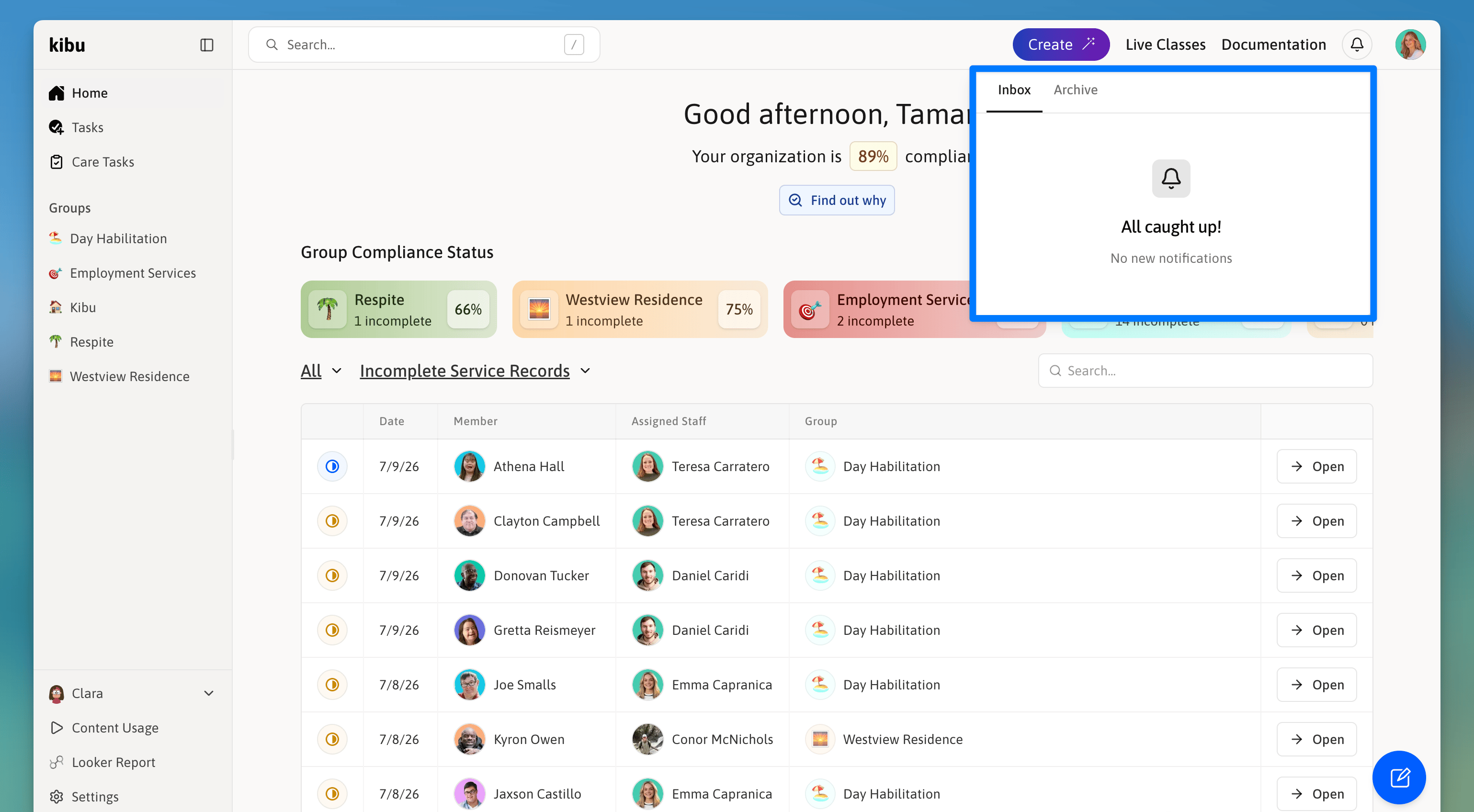
The bell icon in the Kibu navigation bar opens the Notification Center from anywhere in the app.
What Triggers Notifications
Kibu sends notifications for the following events:Missed medications
A scheduled medication was not recorded as administered.
Medication errors
A medication was logged as given incorrectly.
Quick Form submissions
A notification is sent every time a specific Quick Form is submitted.
Missed Quick Forms
A scheduled Quick Form was not completed in time.
Setting Up Notifications
Notifications are managed in Settings → Notifications. The page is divided into two tabs: eMAR and Quick Forms. Each tab controls notifications for that category independently. On the left side of the page, you will see:Organization-Wide
Subscribers here receive notifications for all members across every group.
Groups
Select a specific group to configure notifications only for members in that group.
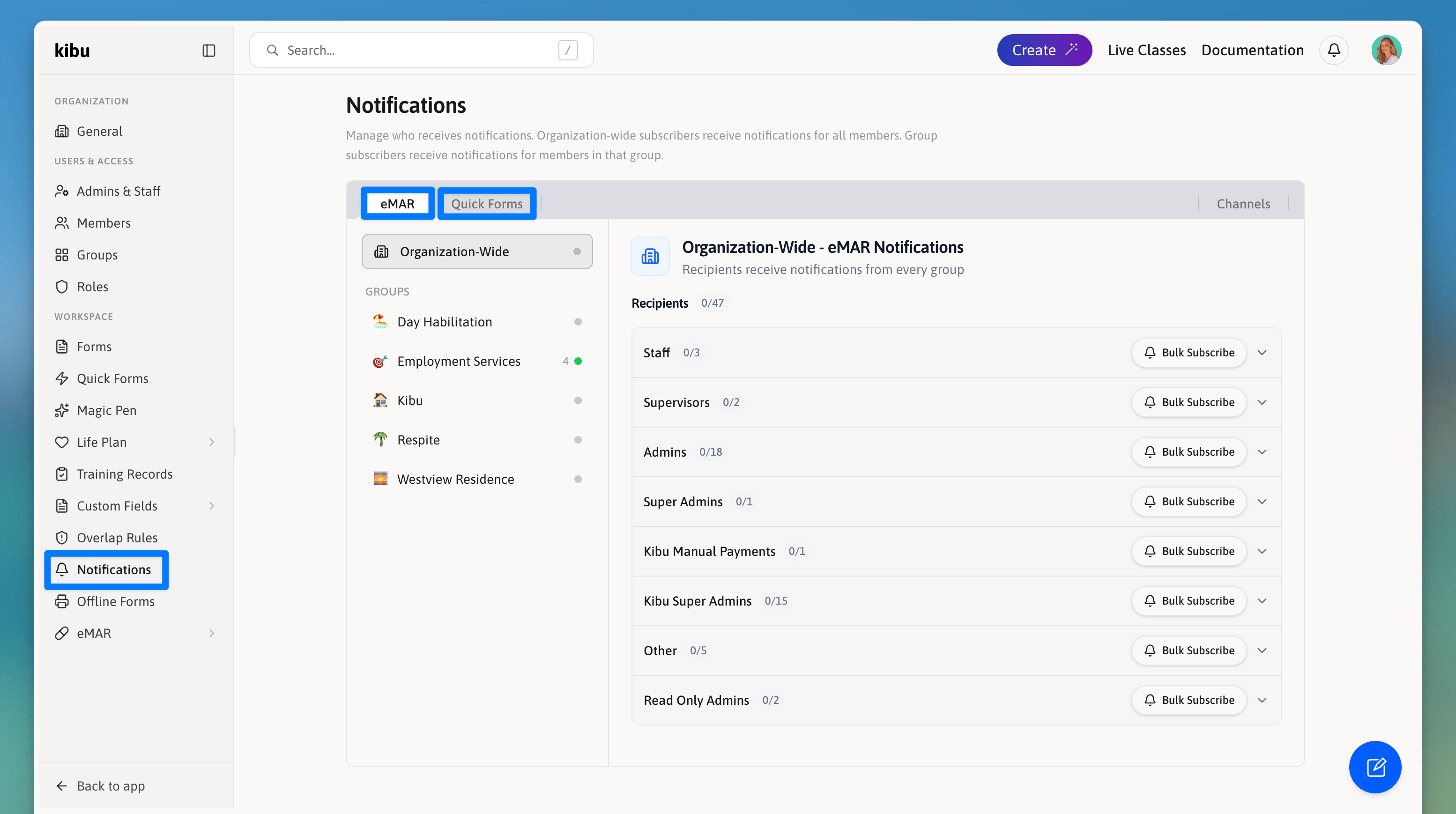
Settings → Notifications shows the eMAR and Quick Forms tabs along the top and the Organization-Wide / Groups selector on the left.
Subscribing Someone to Notifications
You can subscribe users one at a time or in bulk.- Individual
- Bulk
1
Navigate to Settings → Notifications
2
Select the Quick Forms or eMAR tab
3
Choose Organization-Wide or a specific group on the left
4
Find the user in the list and click Subscribe
5
Choose which notification types they should receive
For Quick Forms, you can select On Submission (for specific forms) and/or Missed (for scheduled forms that were not completed).
6
Click Subscribe
Quick Form Notification Types
When subscribing someone to Quick Form notifications, you choose from two trigger types:On Submission
Notifies the user every time a specific Quick Form is submitted. You can select which forms trigger this.
Missed
Notifies the user when a scheduled Quick Form was not completed. You can select which scheduled forms trigger this.
eMAR Notification Types
When subscribing someone to eMAR notifications, you choose from:Medication Errors
A medication was logged as given incorrectly.
Missed Medications
A scheduled medication was not recorded as administered.
Email and In-App Notifications
Notifications are delivered in two ways:In-app
Appear in the bell icon in the navigation bar.
Sent to the user’s registered email address.