

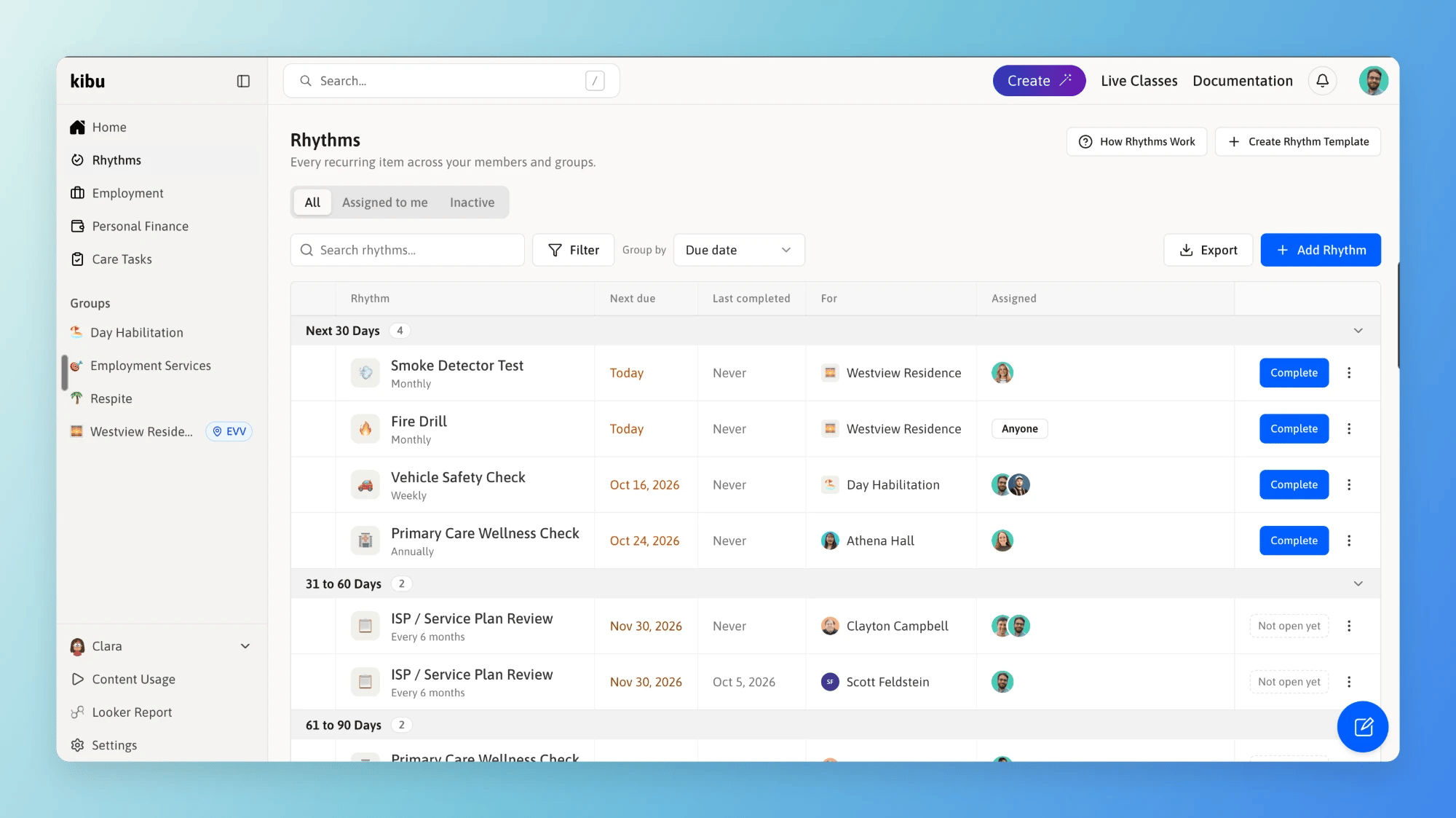
The Rhythms page, showing every recurring item across your members and groups.
Key Concepts
Template
What to capture and how often. Built once, in Settings. “Fire Drill” is a template.
Rhythm
One template attached to one member or one group. “Fire Drill for Westview Residence” is a rhythm.
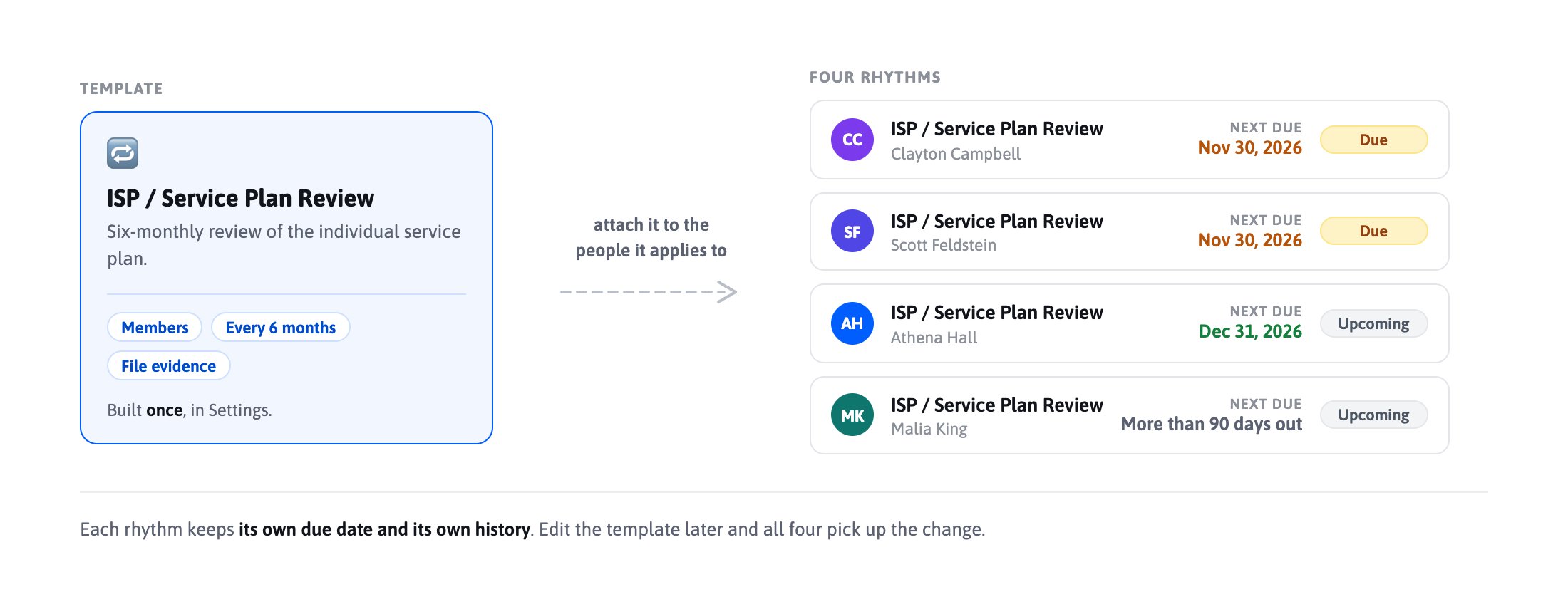
One template attached to four members creates four rhythms, each with its own due date and record.
Completing a rhythm never ends it. Finish this month’s fire drill and Kibu creates next month’s.
Rhythm or Care Task?
Care Tasks are medication and medical administration for one person. If it belongs on the MAR, it is a Care Task. Rhythms are recurring items that need a checkbox, a form, or an uploaded file as the record. They can belong to a person, a house, a vehicle, or a program.Daily and specific-weekday schedules are available on group rhythms only. Daily documentation for one person belongs in Care Tasks.
The Rhythms Page
Select Rhythms in the left sidebar to see everything open across the members and groups you have access to. Items are grouped by how soon they are due: Overdue, Next 30 Days, 31 to 60 Days, 61 to 90 Days, and More Than 90 Days Out.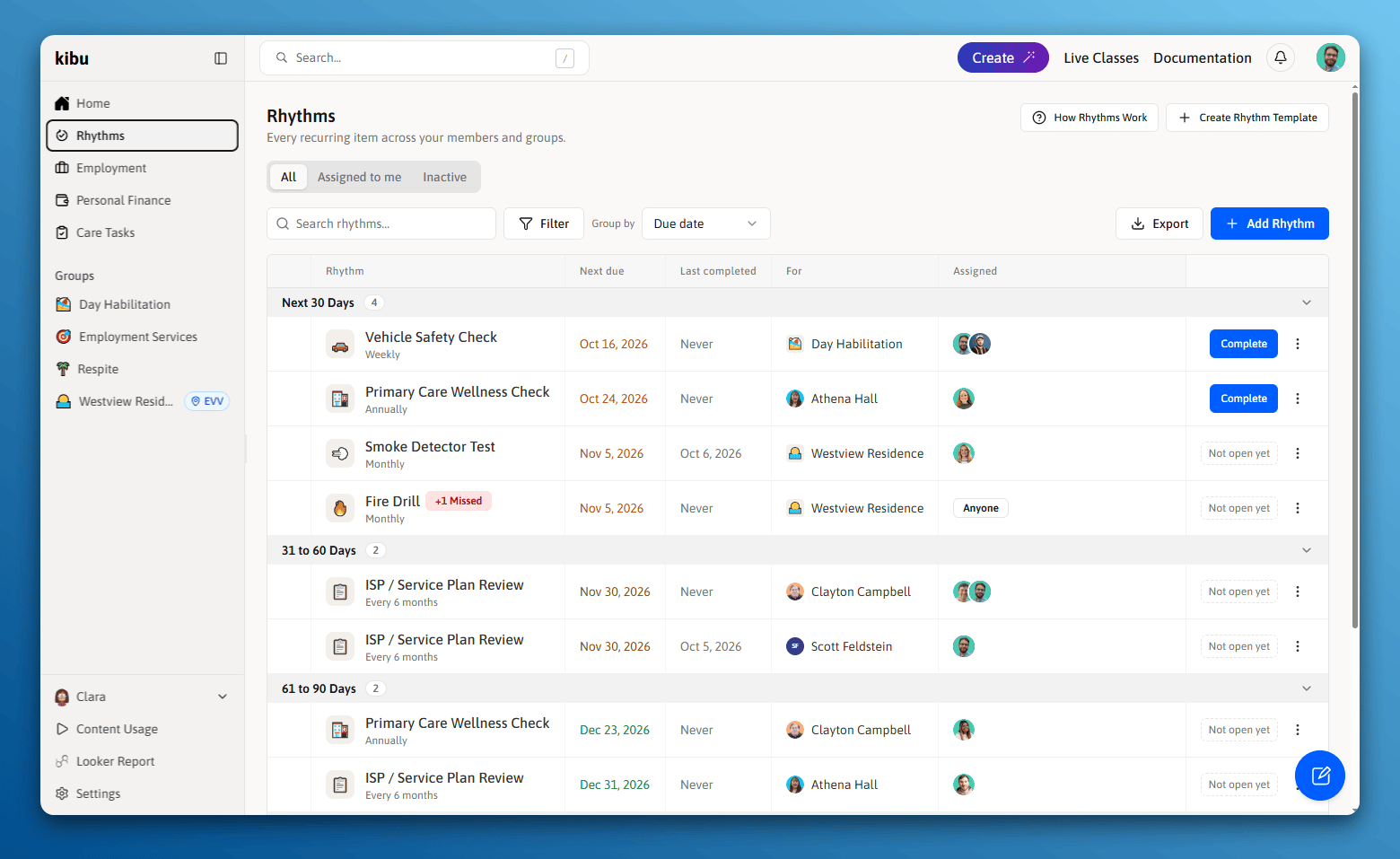
Items are grouped by how soon they are due, most urgent first.
All
Everything in your scope. The page opens here.
Assigned to me
Only the items you own.
Inactive
Paused rhythms, which are never deleted.
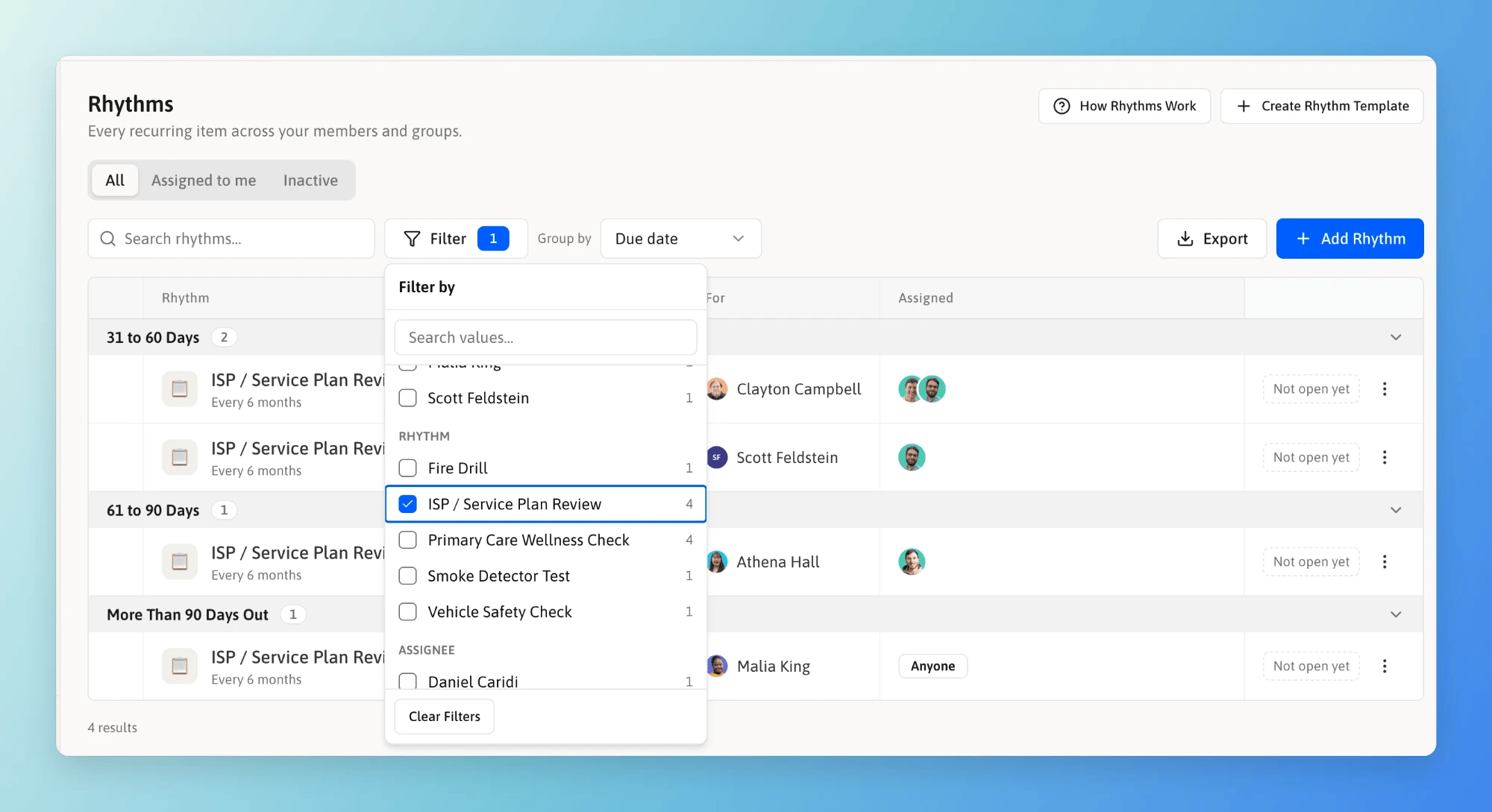
Filter narrows the list. The number beside each option shows how many items it leaves.
Where Rhythms Appear
On a member
The Rhythms tab lists what that person has coming due, plus their history.
On a group
The Rhythms tab lists what that house or program has coming due, along with the group’s members.
On mobile
Staff complete the items assigned to them from the Kibu app.
In notifications
Emails and in-app notifications can deliver reminders and completion notices.
Who Can See What
You see rhythms for the members and groups already in your scope. Administrators build templates in Settings. Supervisors attach rhythms and change owners. Staff complete the items assigned to them. Anyone who can complete items can complete any item in their scope, not only their own. The person who walked the building is not always the person it was assigned to.Next Steps
Creating and Attaching Rhythms
Build a template, choose how the record is captured, and attach it.
Completing and Tracking Rhythms
Complete items, review history, and export your record.