
The Life Plan Goals settings page where administrators configure acknowledgement behavior.
1
Navigate to Settings
2
Select the Life Plan Goals section
3
Choose your preferred acknowledgement settings
4
Save
Setting Up Acknowledgements
Administrators can choose from three acknowledgement behaviors to appear in staff notes when plans need to be acknowledged.
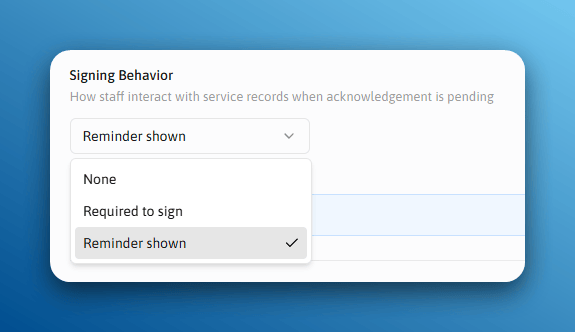
The three acknowledgement behavior options available in the Life Plan Goals settings.
None
Staff will not be visually reminded about acknowledgments in the service record.
When Re-Acknowledgement Is Required
Administrators can require staff to re-acknowledge a goal in two situations:When a goal is updated
Any change to the goal triggers re-acknowledgement.
After a set number of days
Goals must be re-acknowledged on a regular schedule.
The Staff Experience
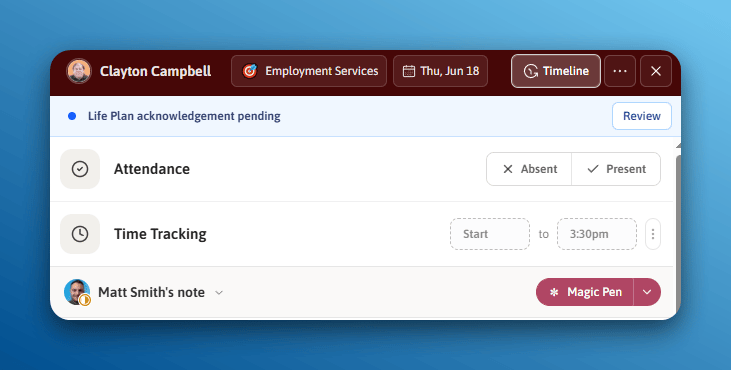
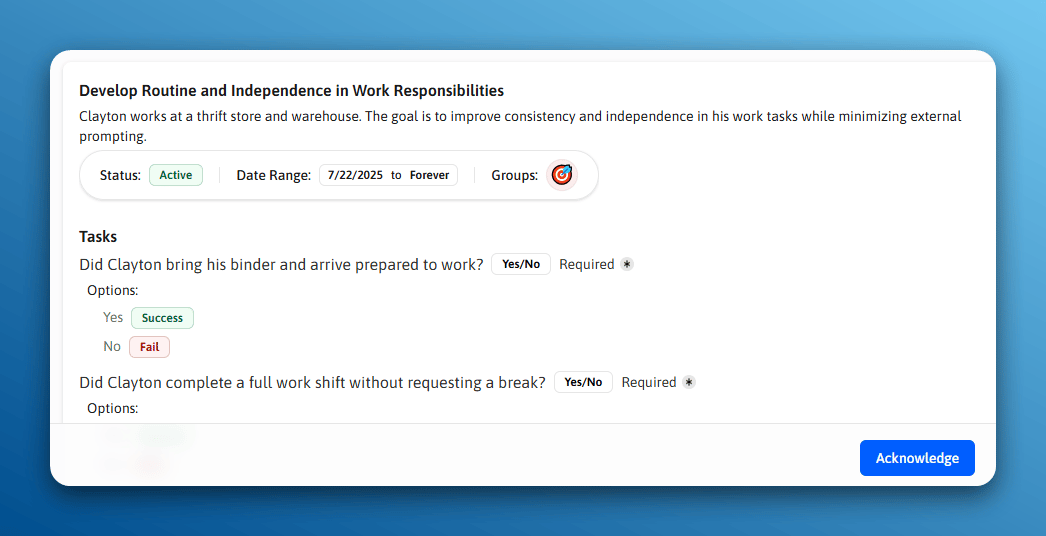
The acknowledgement prompt staff see when opening a member's life plan goals in a service record.
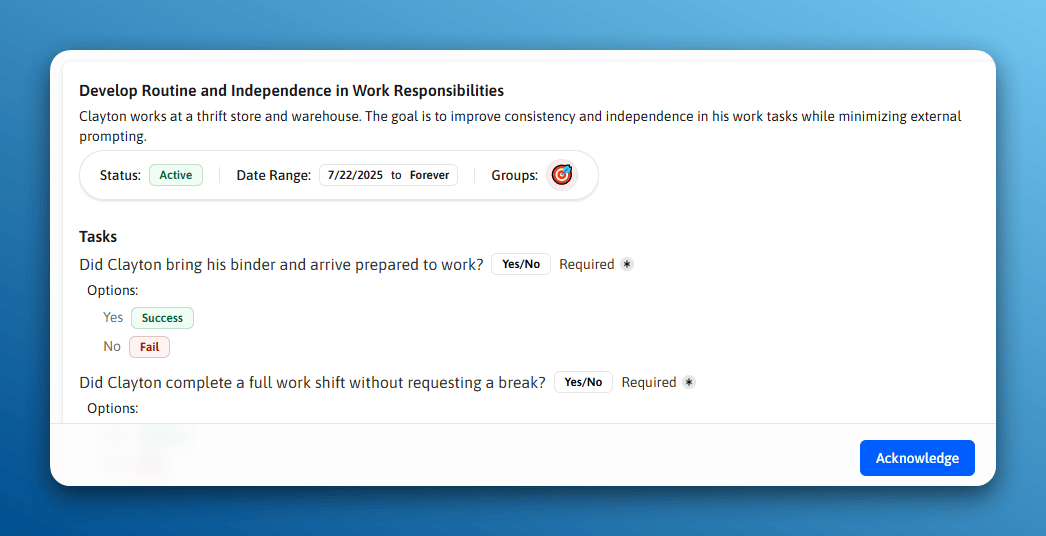
A goal marked as needing re-acknowledgement after it was updated.
Acknowledgements Overview
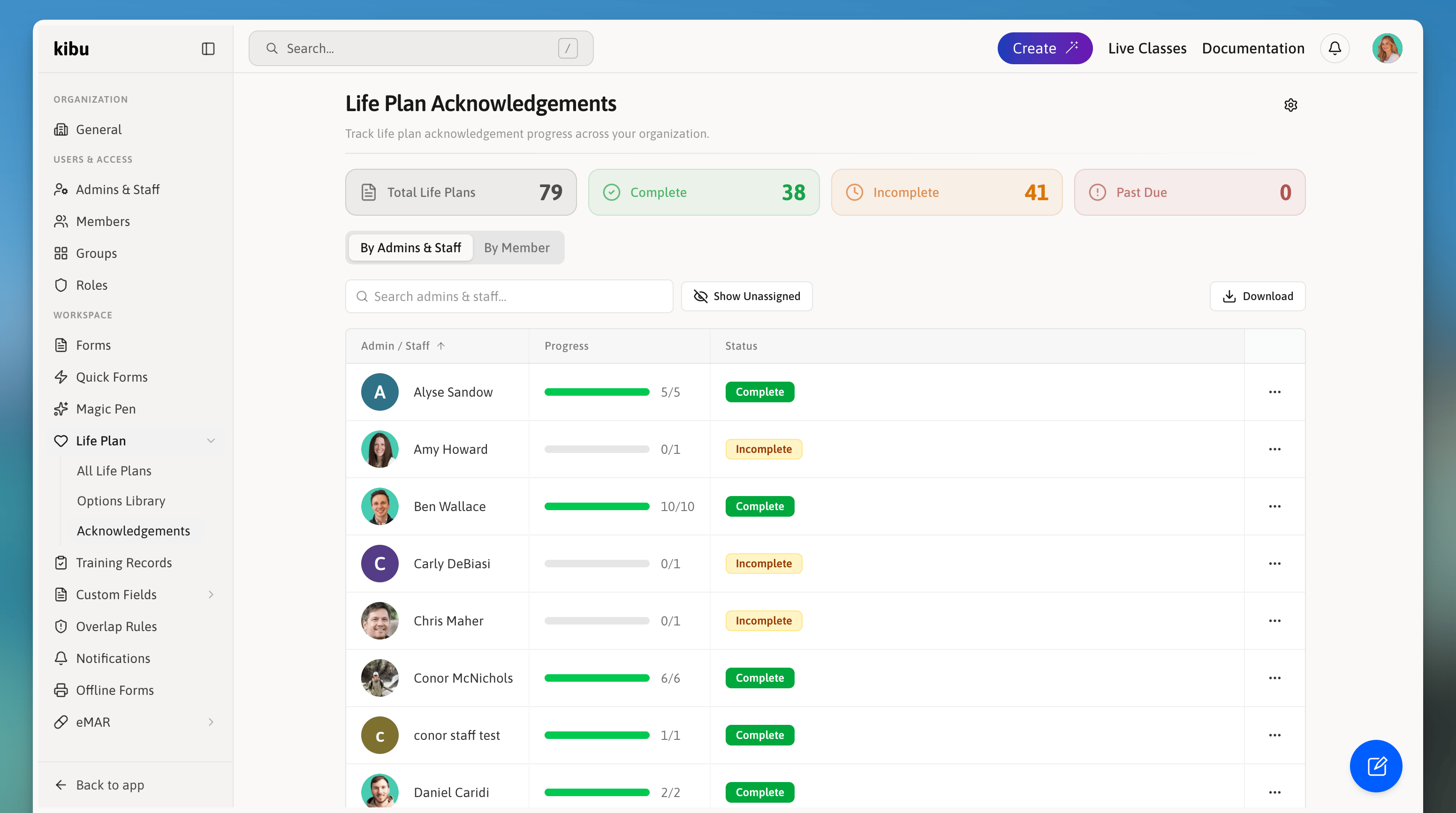
Administrators can view all acknowledgements across the entire organization from the Acknowledgements Overview page.
- Which life plans have been acknowledged and by whom
- Which life plans are pending acknowledgement
- Acknowledgement history per member and per admins & staff
1
Navigate to the Life Plan Goals section
2
Select the Acknowledgements tab or page
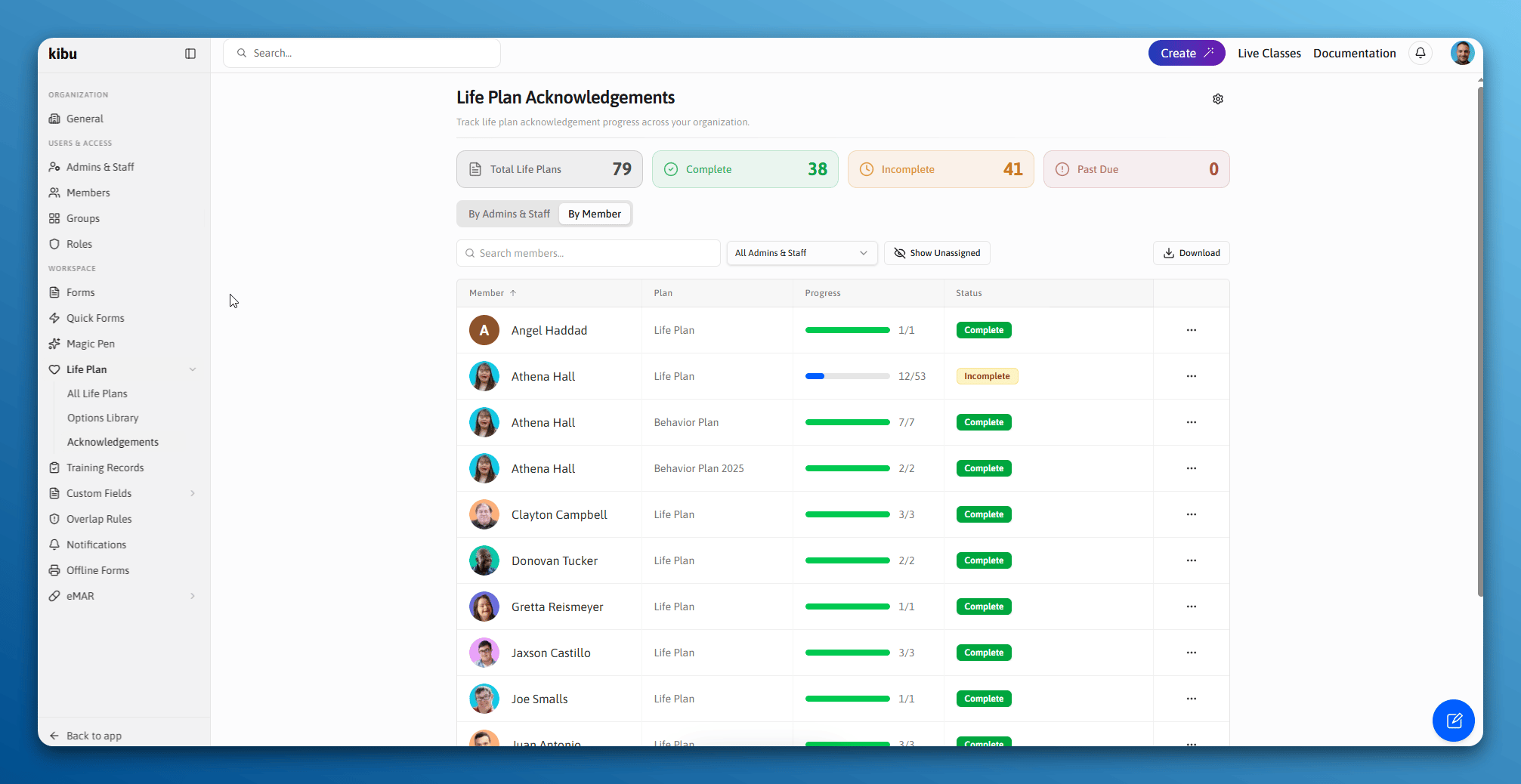
The Acknowledgements Overview page showing acknowledgement status across the organization.
Exporting a Report
In the Acknowledgements report, click the Download button to export an Excel spreadsheet. You can choose between a member-level or staff-level report showing what has been acknowledged and what is outstanding.Marking a Goal as Outdated
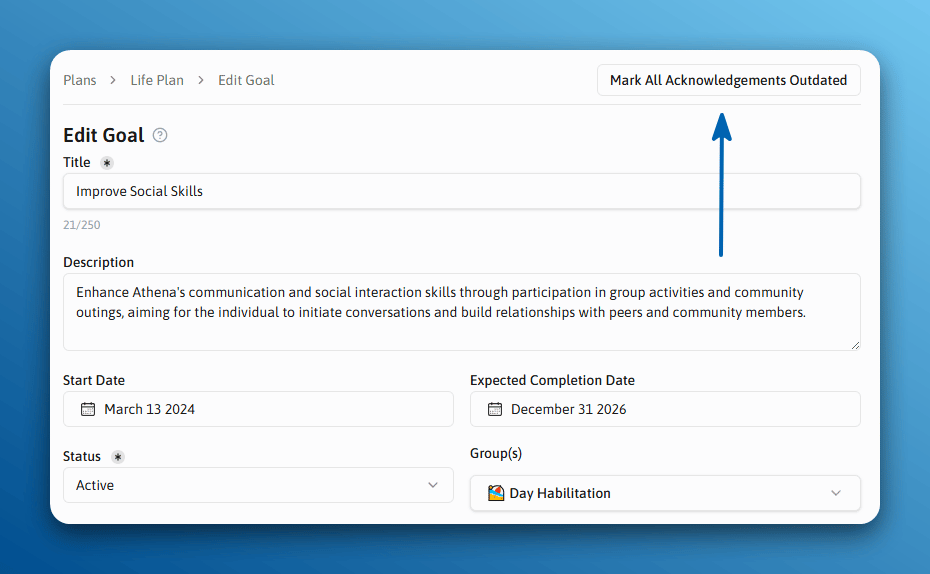
Administrators can manually mark a goal as outdated from the goal’s edit page. This immediately triggers re-acknowledgement requirements for staff assigned to that member.